
The Account Loss Trap: Why Temp Mail Verification is Risky
Stop Account Loss: Why Temp Email Puts Your Data at Permanent Risk
Disposable email services promise quick privacy and a spam-free inbox, but this convenience has a hidden catch. If you use a temporary (“burner”) email for anything you care about long-term, you risk locking yourself out forever. Many users don’t realize that up to 60% of disposable addresses expire within 24 hours, leaving a “trail of broken connections”tempmailmaster.io. That means password resets, security alerts, and receipts vanish the moment the temp inbox dies. In this article, we’ll explain the account loss trap and how to avoid it. We’ll use insights from experts and trusted sources, while linking to helpful guides on our site, so you can keep your accounts safe without sacrificing privacy.
Disposable (temporary) emails are popular for protecting your main inbox from spam or data leakstempmailmaster.io. But they come with serious downsides. Leading cybersecurity guides warn that if a temp address expires, “the user loses the ability to receive critical password reset links, security notifications, or 2FA recovery codes,” potentially causing permanent lockouttempmailmaster.io. Even the privacy community acknowledges the danger: one study notes 12% of sign-ups use disposable emails, yet 60% of those addresses are gone in a day. The short life of these addresses means an unintended password reset failure or lost receipt – possibly for good. This article digs deep into the risks (“password reset failure”, “account loss risk”, “data recovery” issues) of using temp email verification and shows you safer practices and solutions, including Temp Mail Master’s controlled-retention features.
The Allure of Temporary Email Services
Disposable emails gained popularity because they shield your real inbox from junk mail and tracking. No wonder millions turn to them for non-critical sign-ups:
- Spam Reduction: A disposable address channels unwanted emails away from your personal inbox. It “eradicate[s] potential spam or tracking,” keeping marketing clutter out
- Privacy Protection: By not giving out your main email, you limit companies’ ability to link everything back to you. As one guide notes, a burner email is like “not handing over your key piece of identity,” enhancing privacy
- Breach Safety: If a site is hacked, attackers only get the burner address. You stay safe: even if a service leaks its database, your real email isn’t exposed
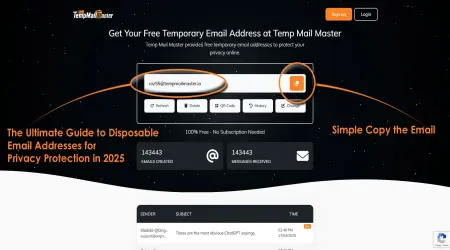
- Quick Sign-ups: They’re great for one-off uses (e.g. accessing an article or promo). You just generate an address and go, with no signup.
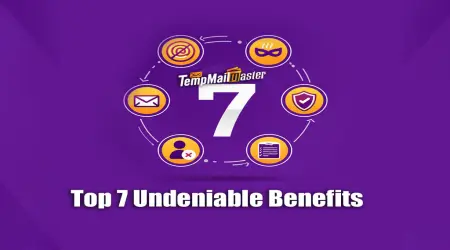
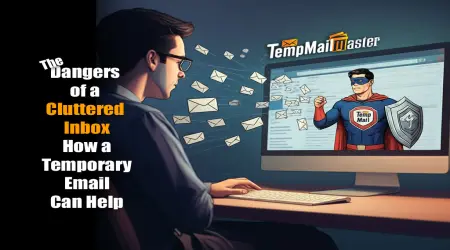
Figure: Disposable emails have clear benefits – anti-spam, privacy, and simplicity – which Tempmailmaster explains in its “Top 7 Benefits” post
Such benefits make temporary email feel like a no-brainer for low-stakes tasks. Even Ask Leo!, a security advice site, acknowledges that disposable addresses can improve privacy and help manage spamaskleo.com. (He calls them a privacy tool, though “not a security shield”askleo.com.) The key is using them only when you really won’t need the address again. That brings us to the hidden cost: if you use them for anything requiring follow-up, you face trouble.
The Account Loss Trap: Why Temporary Email Can Backfire
The core problem is data retention failure. Once a temporary address self-destructs, it can no longer receive emails. This has two major consequences:
- Password Reset Failure: If you ever need to reset your password, the reset link goes to the dead inbox. You won’t get it, and you can’t log in. In effect, you lose access. As our Digital Identity Layering strategy warns, deleting a disposable email means losing password reset links, security alerts, or 2FA codes, which “can lead to permanent lockout from the linked service”tempmailmaster.io.
- Lost Confirmations/Receipts: Important transactional emails (receipts, boarding passes, invoices) can vanish. You have no way to retrieve them after deletion.
Experts describe this as permanent account lockout. For example, our Gaming Security post notes that registering a high-value account (like a primary email or bank) with a temporary email “permanently forfeits the ability to receive critical communications. Password reset links, 2FA codes, and essential receipts are lost once the inbox expires” If you lose the original login credentials after the temp address is gone, “access is typically gone forever”tempmailmaster.io.
Other risks compound the problem:
- No Authentication or Ownership: Disposable inboxes usually have no password. Often anyone who knows the address can view it. A Proton blog explains that without passwords or logins, “if someone knows your ghost email address, they can potentially access the inbox and read your messages”proton.me. In practice, this means anyone could hijack your temporary inbox to grab codes and reset your real accounts.
- Public Inbox Vulnerability: Many free temp-mail providers use shared, public inboxes. Any random visitor (or attacker) with that address link could read your emails. If you thought your message was private, it’s not. Proton warns that “anyone can read your email if they have access to your temporary email address”proton.me. This public nature also invites phishing: attackers might even impersonate you using that inbox.
- Blocked By Sites: Because disposable domains are often abused by spammers and bots, many services automatically block them. If you use a temp address, an important email might never arrive. Both Proton and AtomicMail note that “many websites ... automatically block [disposable domains]”proton.meatomicmail.io. Using one can get your account “banned before you’ve even started”atomicmail.io, meaning you may not even complete registration.
- Damaged Credibility: Even customer-facing sites may treat you differently. Some forums and services (especially tech-savvy or paid ones) see disposable emails as red flags for spam or abuse. They may lock you out, require extra vetting, or simply refuse you. As noted in our Gaming security guide, community sites may “restrict or ban” disposable emails, viewing them as “potential fraud”tempmailmaster.io.
These pitfalls lead to a simple truth: A temporary email is only as reliable as its retention period. Once it vanishes, any account tied to it is suddenly unreachable. The severed link means no data recovery. One commenter put it plainly: “Lost access to main email. ... I used a temporary email and now I can’t get back into my account” (common user frustration).
In short, you’re trading short-term convenience for a long-term headache. As AtomicMail warns, using a throwaway address can mean “No way back: When the timer runs out ... you’re locked out permanently”atomicmail.io. That quote says it all: the moment the countdown hits zero, so do your chances of account recovery.
Real-World Warnings from Experts and Platforms
Both security professionals and online services echo these concerns. For example, a cloud storage provider Koofr explicitly bans disposable emails in its Terms. They explain that a permanent email is “essential for ... important notifications” and for “restoring account access.” Without a valid email, “the user’s and the platform’s security could be compromised”koofr.eu. In other words, even if you get away with using a temp email at signup, you immediately eliminate any way to recover the account. Koofr also notes that disposable emails can let people create multiple accounts for freebies, harming the service’s integritykoofr.eu.
ProtonMail, a leading privacy email provider, also cautions against burner addresses. Their blog points out that without passwords or encryption, one-time emails provide “minimal security”proton.me. They stress that someone else could easily intercept your messages, or the site you’re using might block the address entirely. “Disposable email services might seem convenient,” Proton writes, but “they aren’t a secure way of protecting your identity — and using them can be risky if you accidentally disclose any personal information”proton.me.
Similarly, tech advice columns like Ask Leo! remind us that disposable emails “provide minimal security benefits” and are mainly just privacy/spam toolsaskleo.com. They emphasize that for any important account, you still need a strong password and 2FA on your real email.
In summary, every authoritative source warns: don’t use ephemeral email for anything that matters. If your account needs future logins or support (banking, email services, subscriptions, etc.), a burner inbox is a ticking time bomb. You should plan for long-term access from the start.
How to Avoid the Account-Loss Trap
Knowing the risks, the key is to use disposable emails strategically and safely. Here are best practices and solutions:
- Reserve for Low-Value Signups: Use disposable addresses only for truly temporary needs (one-off promotions, newsletters, non-critical forums). Never use them to register for services where you might need future access. As our layering guide advises, keep disposable emails to “Layer 3” activities that you’re willing to sacrificetempmailmaster.io.
- Permanent Email for Important Accounts: For anything vital (banking, work, social media, healthcare), use a dedicated, permanent email address. Do not use a disposable address for account recovery or 2FA. Our guide is emphatic: for accounts requiring long-term retention, “the answer is emphatically no” to using a disposable emailtempmailmaster.io. The consequences would be permanent account loss if the temp address dies.
- Enable Forwarding or Extended Retention: If you do use a disposable address, choose a service that lets you forward emails to your real inbox, or at least extend how long the address lives. Temp Mail Master, for instance, offers controlled forwarding so that critical emails (like password resets) go to a secure Layer 2 addresstempmailmaster.iotempmailmaster.io. This “proxy” keeps the disposable shield intact while still delivering essential messages. Other services now even let you convert a temp address into a permanent one if needed, merging convenience with continuity.
- Check Site Policies Ahead: Before signing up, see if the site you’re using blocks disposable addresses. Many platforms openly reject them to protect themselves. If an important site will ban your temp email, switch to an email alias or your real address from the start. Remember, some legitimate providers let you create free aliases or plus-addressing (e.g. yourname+alias@gmail.com) which provide some privacy without the risk of lockout.
- Use Strong Security on Your Main Email: Always enable 2FA on your permanent email and use unique passwords. This way even if a disposable scheme fails, your main account stays robust. Keeping different credentials for each service can limit damage from breaches.
By planning ahead – either using a controlled-retention temp mail service or sticking to permanent emails – you eliminate the key problems. The digital layering strategy we advocate relies on this: disposable inboxes should act as a shield, but backup routes must exist for essentials. In fact, professional advice is to treat a disposable address as an “email alias” (like Proton’s hide-my-email feature) rather than a one-way ticketproton.meatomicmail.io. That way, you get spam protection and privacy and maintain the ability to recover data.
Frequently Asked Questions
Q1: What happens if I lose access to my disposable email?
If a temporary inbox self-destructs, any pending messages (password resets, codes, receipts) are gone. You’ll be locked out of services that rely on that email. In practice, you’ll need to contact the service provider’s support immediately to explain the situation and update your email. As our Privacy Ethicist guide notes, if a “temporary email service expires or is deleted, the user loses the critical ability to receive password reset or 2FA recovery codes, potentially leading to permanent account loss”tempmailmaster.io. Many sites may allow you to recover by verifying your identity in other ways, but this is not guaranteed.
Q2: Are disposable email addresses illegal or not allowed?
Using a temp email isn’t illegal, but many websites and services explicitly prohibit them. Koofr and others require a permanent email for registrationkoofr.eu. Proton’s blog explains that since disposable domains are often used by bots, “many websites … automatically block them”proton.me. If a service won’t accept disposable addresses, you must use a legitimate email (or alias) to sign up. Always check the site’s terms or signup policy if you’re unsure.
Q3: Can I use a temporary email for important services like banks or government sites?
No. For any account that you need to keep, you should use a real, permanent email. Disposable addresses are only for throwaway uses. Our layering guide is clear: “For accounts that require long-term retention and the ability to recover access, the answer is emphatically no” to using disposable emailstempmailmaster.io. Banks, healthcare, and government services always assume a working, verifiable contact email.
Q4: How is a disposable email different from an email alias?
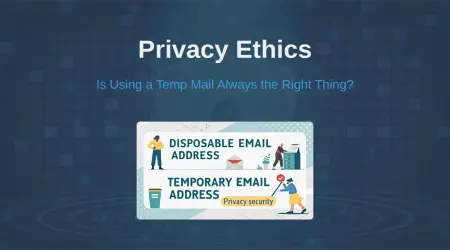
A disposable email (DEA) is usually public and temporary. An email alias (or masked email) forwards to your real inbox and often lasts as long as you choose. Most mainstream email providers (like Gmail, ProtonMail, or Fastmail) allow you to create aliases under your account. They give many of the same benefits (spam control, privacy) without the risk of lockout – because you still have full control of the mailbox. As Proton and AtomicMail advise, using aliases is a safer alternative to 10-minute throwaway addressesproton.meatomicmail.io.
Q5: What is “controlled retention” and how can it help?
Controlled retention means you decide how long your temporary email lives. Instead of auto-deleting in minutes or hours, you can extend it until you’re done. TempMailMaster offers this feature: for example, you can create a disposable address and keep it active until you manually delete it, or forward its important messages to a secure inboxtempmailmaster.iotempmailmaster.io. This way, you get temporary anonymity when needed but still retain data recovery if something important arrives.
Q6: What if I already used a disposable email and now can’t access my account?
First, try alternate recovery options like backup email or phone number on file. If those fail, contact the service provider’s customer support immediately. As noted in our Privacy Ethicist Q&A, the recommended action is to “contact the website or service provider’s support to request updating your email address to a permanent one”tempmailmaster.io. Be prepared to verify your identity. Some sites may allow you to save your account with a new email; others may consider it lost. This is why prevention is far better than cure.
Conclusion
Using a temporary email can be a useful privacy tool – but only if used correctly. The biggest danger is account loss: because these addresses self-destruct, any long-term account tied to them can vanish with no recovery pathtempmailmaster.iotempmailmaster.io. To stay safe, reserve disposables for genuinely throwaway sign-ups. For anything important, use a real email or alias and enable robust security. Heed the warnings of privacy experts and services: disposable emails “aren’t secure” for ongoing useproton.me. By leveraging TempMailMaster’s controlled retention and forwarding featurestempmailmaster.iotempmailmaster.io, you can enjoy the convenience of burner emails and avoid the permanent data loss trap. Stay informed and plan ahead – that way, you keep the privacy benefits without putting your accounts at riskkoofr.euatomicmail.io.
Written by Arslan – a digital privacy advocate and tech writer/Author focused on helping users take control of their inbox and online security with simple, effective strategies.