How to Create a Strong Password That Hackers Cannot Guess (2026 Guide)
Written by Arslan · Reviewed by TempMailMaster Editorial Team
Research references: FTC, CISA, NIST privacy and security guidance.
Last updated: August 2026
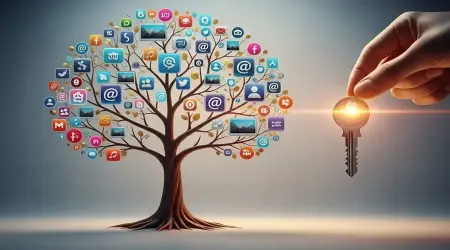
Maria used the same password on a recipe forum, her Spotify account, and her bank's mobile app. She picked it once, years ago, and never saw a reason to change it — it was easy to remember, and none of those sites felt important enough to worry about. Then the recipe forum got breached. Nobody at her bank did anything wrong; her password just showed up in a leaked list, and within days, automated tools were trying it everywhere she'd ever used it.
That's not a rare story. It's the default outcome of reusing a weak password — and it's why the password you pick for an account that doesn't matter can end up being the reason an account that does gets compromised.
What Makes a Strong Password?
Strength isn't one property, it's a combination of a few:
- Length — the single biggest factor in resistance to cracking; every additional character multiplies the possible combinations. Current guidance points to at least 15 characters for a password that's the only thing protecting an account.
- Uniqueness — a password reused across accounts is only as strong as the weakest site it's used on.
- Randomness — a password that isn't derived from a pattern resists both guessing and automated cracking.
- Character variety — useful when a generator adds it automatically, or when a site requires it, but it isn't what actually makes a password strong. Length, uniqueness, and randomness are what matter most; mixing uppercase letters, numbers, and symbols on their own doesn't compensate for a password that's short or predictable.
- No personal information — birthdays, pet names, anything findable on a social profile should never be part of a password, since that's exactly where targeted guessing starts.
How Hackers Crack Weak Passwords
Passwords don't usually get "guessed" the way people imagine — someone at a keyboard trying combinations by hand. Almost all of it is automated:
- Data breaches — a site gets hacked, its password database leaks, and every account on it is exposed at once. If you reused that password anywhere else, those accounts are exposed too, even though they were never breached themselves. Our guide to what happens to your email after a data breach covers what to check if you're ever notified.
- Credential stuffing — attackers take a leaked username-and-password combo and try it automatically across thousands of other sites, betting on reuse. This is the exact mechanism that turned a forum breach into a threat to Maria's bank account.
- Dictionary attacks — software tries real words, common phrases, and known password lists, since most people's "random" passwords aren't actually random.
- Brute force attacks — every possible combination, tried systematically. Short passwords fall to this quickly; long ones can take longer than anyone would realistically wait.
- Common password lists — annually published "most used passwords" rankings exist because so many people pick from a small, predictable pool. A password on one of these lists offers close to no protection.
None of this requires a hacker to know anything about you personally — most of it runs automatically, at scale, against millions of accounts at once.
Password Length vs Complexity: Which Matters More?
Length wins, by a wide margin. A long password made of ordinary words is generally harder to crack than a short one stuffed with symbols, because every additional character multiplies the number of possible combinations, while a handful of substituted symbols (changing "a" to "@") barely slows down modern cracking tools, which already check for those patterns.
Current NIST guidance (SP 800-63B, most recently revised in 2025) reflects this directly: it recommends at least 15 characters for a password used as the sole authentication factor, and it doesn't require mixing uppercase letters, numbers, and symbols — the composition rules many sites still enforce aren't drawn from current best practice.
This is part of why random passphrases — a string of unrelated words, like the kind a password generator can produce — have become a recommended approach. They're long enough to resist brute force, don't rely on patterns a dictionary attack would catch, and are often easier for a person to actually remember or type than a short jumble of symbols. The trade-off is usability: a 20-character passphrase is more to type than a 10-character password, so the right balance depends on where it's being used and whether it'll be saved somewhere secure rather than typed from memory every time.
Password vs Passphrase: Which Is Better?
Neither is universally "better" — a passphrase is generally the stronger default when a site allows it, but a generated random password is often the more practical choice when it's being stored in a password manager rather than typed from memory anyway.
Common Password Mistakes People Make
- Using the same password everywhere — the single most damaging habit, since it turns one breach into many
- Using names or birthdays — information easily found or guessed from a social profile
- Small variations of old passwords — changing "Summer2023" to "Summer2024" doesn't meaningfully help; cracking tools already check for this pattern
- Sharing passwords over text, email, or sticky notes — all easy to intercept or lose track of
- Saving passwords insecurely — a plain text file, an unencrypted note, or a browser without a master password protecting it
How Password Managers Improve Security
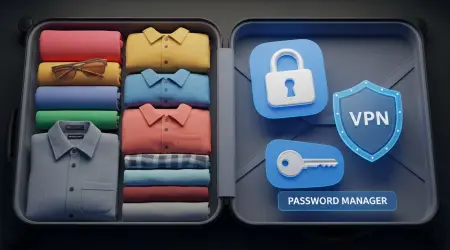
A password manager solves the practical problem strong passwords create: nobody can memorize a different 20-character random string for every account they own. Instead, the manager generates and stores a unique password per site, auto-fills it when needed, and leaves you with exactly one password to remember — the master password protecting the vault itself.
That master password becomes the single most important password you have, so it deserves more care than any individual site password: long, unique, never reused, and ideally paired with two-factor authentication on the manager itself. Password managers aren't risk-free — a compromised master password or an unpatched manager is a real, if uncommon, failure mode — but for most people, the alternative (reusing a handful of memorable passwords everywhere) carries a bigger, more common risk. When choosing one, independent security audits and a clear incident-disclosure history matter more than the feature list — a password manager is only as trustworthy as how it handles being tested.
Why Two-Factor Authentication Matters
A password is the first layer, not the only one. If a password does leak — through a breach, a phishing attempt, or plain reuse — two-factor authentication is what stops that leak from becoming full account access. It requires a second proof of identity, usually something only the account owner has, before letting anyone in.
This matters because passwords leak more often than most people expect, through channels that have nothing to do with how strong the password itself was. Our full guide to two-factor authentication covers how to set it up on the accounts that matter most.
How Often Should You Change Your Password?
The old advice — change every 90 days, no matter what — has largely been replaced by more current guidance: don't rotate a password on a schedule, rotate it when there's a reason to. This lines up with current NIST guidance, which moved away from mandatory periodic password changes in its most recent revision. Frequent forced changes tend to push people toward small, predictable variations of the same password, which weakens security rather than improving it.
The situations that do call for an immediate change: you're notified of a breach involving that account, you've reused the password somewhere that got breached, you've shared it with someone who no longer needs access, or you suspect — for any reason — that someone else has seen it. Outside of those situations, a strong, unique password doesn't need a rotation schedule; it needs to stay strong and unique.
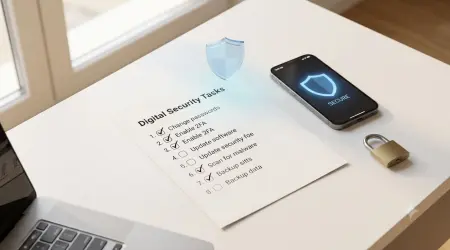
Strong Password Checklist
- ✓ 15+ characters
- ✓ Unique for every account
- ✓ No personal information
- ✓ Random, not pattern-based
- ✓ Stored in a password manager, not written down in plain text
- ✓ Two-factor authentication enabled wherever it's offered
Using a Password Generator
Creating a genuinely random password by hand is harder than it sounds — people are bad at randomness, and the "random-looking" passwords most of us come up with (a capital letter at the start, a number at the end, one symbol) follow patterns that cracking tools already account for.
A password generator solves that by removing the human pattern entirely: it produces a string with no logic behind it to guess, at whatever length and character mix a site requires. It's most useful for exactly the accounts you don't need to memorize — anything going straight into a password manager, a one-time signup, or an account where the password's only job is to be strong, not memorable.
TempMailMaster's password generator does this in the browser, with no signup required — a quick way to get a strong, random password for a new account without trying to invent one yourself.
FAQ
What is the strongest type of password?
A long, random string with no personal pattern behind it — generally a passphrase of unrelated words or a generator-produced string, both stored in a password manager rather than memorized.
How long should a strong password be?
At least 15 characters for a password protecting an account on its own — that's the length current NIST guidance points to. Going longer doesn't hurt, and a passphrase can get you there without much extra effort to remember.
Are password generators safe?
A reputable one that runs locally in your browser and doesn't store or transmit what it generates is safe to use. Avoid any generator that requires an account or claims to "save" your passwords for you without being an actual password manager.
Should every account have a different password?
Yes. Reusing a password is what turns a single breach into exposure across every account that shares it — this is the single biggest factor in most account takeovers.
Is a passphrase better than a password?
Generally, if the site allows enough characters. A passphrase is longer and harder to brute-force while often being easier to remember accurately than a short, symbol-heavy password.
Can hackers guess long, random passwords?
Not through guessing or dictionary attacks — a sufficiently long, random password is currently considered impractical to brute-force with existing technology. Most real-world compromises come from breaches, reuse, or phishing, not from someone correctly guessing a strong password outright.
Should I use a password manager?
For most people, yes. It removes the need to memorize dozens of unique passwords and makes it realistic to actually follow the practices in this guide, rather than defaulting back to reuse out of convenience.
When should I change my password?
After a breach notification, if you've reused it somewhere that got breached, if you've shared it with someone who no longer needs access, or if you suspect it's been seen by anyone else. Not on a fixed schedule otherwise.
The Bottom Line
None of this requires perfect security or memorizing anything absurd. It requires exactly two decisions done consistently: a long, random, unique password for every account, generated rather than invented, and two-factor authentication turned on wherever it's offered. Everything else on this page supports those two decisions.
References
Federal Trade Commission — Data Breach Consumer Guidance: consumer.ftc.gov/search-terms/data-breach
Cybersecurity and Infrastructure Security Agency (CISA) — Phishing Guidance: Stopping the Attack Cycle at Phase One: cisa.gov/resources-tools/resources/phishing-guidance-stopping-attack-cycle-phase-one
National Institute of Standards and Technology (NIST) — Digital Identity Guidelines, SP 800-63B Revision 4: nist.gov/identity-access-management/projects/nist-special-publication-800-63-digital-identity-guidelines