
Securing Smart Home Devices with Temp Mail
The Ultimate Guide to Securing Your Smart Home Devices with Temp Mail
Introduction: The Convenience vs. Security Paradox of the Smart Home
The modern home is a symphony of interconnected devices: smart speakers, security cameras, thermostats, and light bulbs, all promising convenience and efficiency. This ecosystem, often referred to as the Internet of Things (IoT), has rapidly transformed our lives. However, this convenience comes at a steep price: security.
Each new smart device introduces a potential vulnerability, a digital "backdoor" into your home network. While much of the security discussion focuses on strong Wi-Fi passwords and network segmentation, the single most overlooked and critical point of failure is the email address used to register and manage these devices.
This guide will demonstrate why your primary email address is a liability in the smart home ecosystem and how adopting a disposable email strategy is the ultimate, non-technical solution to isolate these low-security devices, prevent account takeovers, and secure your digital life from the inside out.
The Smart Home's Weakest Link: The Registration Email
Every smart device requires an account with the manufacturer's cloud service for setup, remote access, and firmware updates. This account is invariably tied to an email address.
If the manufacturer's cloud service is breached—a common occurrence in the IoT space—your registration email is exposed. This email is then used for targeted phishing, credential stuffing, and account takeover attempts on your most sensitive accounts.
Part I: The Smart Home Security Paradox: Why IoT is a Target
Smart home devices are a prime target for cybercriminals, not because of the data they hold, but because of the access they provide.
1. The "Backdoor" to the Home Network
Many IoT devices are built with a focus on low cost and fast time-to-market, often resulting in poor security practices:
- Weak Default Credentials: Many devices ship with easily guessable or hardcoded default passwords.
- Outdated Firmware: Manufacturers often abandon support for older models, leaving them vulnerable to known exploits.
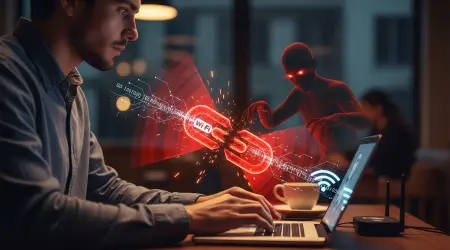
- Lack of Segmentation: Most devices connect directly to the main home Wi-Fi network, meaning a compromise of a single smart light bulb can give an attacker a foothold to launch attacks against your computer or phone.
2. The Data Harvesting Ecosystem
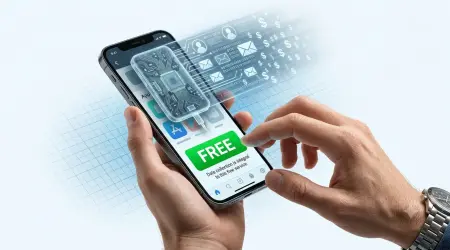
Beyond direct hacking, the business model of many IoT companies is data collection. They track usage patterns, location data, and even conversations.
- The Metadata Trail: The email address used for registration becomes the central hub for all this metadata. It allows the manufacturer to correlate your device usage with your identity, creating a detailed profile of your daily life.
- The Spam Avalanche: Once registered, many devices and their associated apps bombard your inbox with marketing, feature updates, and upsells. This spam not only clutters your inbox but also makes it harder to spot a genuine security alert, a classic tactic used in phishing attacks.
Part II: The Disposable Email Solution: Isolation and Ephemerality
The most effective way to secure your smart home identity is to adopt a one-device, one-disposable-email strategy. This approach leverages the core benefits of temporary email to create an unbreachable security perimeter around your primary digital life.
1. Isolation: Creating a Digital Air Gap
The primary function of a disposable email in this context is to create a digital air gap between the low-security IoT account and your high-security personal accounts.
- Zero-Link Identity: For every new smart device (e.g., a new smart plug, a new camera), generate a unique, non-attributable disposable email address using a service like TempMailMaster.io.
- Breach Containment: If the smart plug manufacturer suffers a data breach and the email is exposed, the attacker gains access to an email address that is a dead end. It is not linked to your banking, social media, or any other critical service. The breach is contained to that single, low-value account.
- Preventing Credential Stuffing: Cybercriminals often use email addresses and passwords leaked in one breach to attempt logins on other services (credential stuffing). By using a unique disposable email for each IoT device, you ensure that a compromised password from a smart bulb account cannot be used to access your main email or other accounts.
2. Ephemerality: The Right to Be Forgotten for IoT
The temporary nature of a disposable email aligns perfectly with the lifecycle of many IoT devices.
- Trial and Testing: Use a disposable email for free trials of smart home services or for testing a new device before committing to it. If the service is not worth keeping, the email address simply expires, and the account is automatically orphaned, eliminating the need for manual deletion and ensuring your data is not retained.
- Data Minimization: By using a zero-log disposable email service, you minimize the amount of personal data you expose to the manufacturer. The email address itself is non-attributable, drastically reducing the value of the data collected by the IoT vendor.
3. The "Clean Room" for Security Alerts
While disposable emails are temporary, they are essential for receiving initial setup and critical security alerts.
- Dedicated Alert Channel: The disposable email acts as a dedicated "clean room" [1] for all IoT-related communications. This isolates the alert channel from the noise of your main inbox.
- Immediate Identification of Phishing: If you receive an email from your smart camera manufacturer in your main inbox, you know instantly it is a phishing attempt, as the legitimate communication channel is the dedicated disposable email. This immediate identification is a powerful defense against social engineering.
Part III: A Step-by-Step Guide to Securing Your Smart Home with Temp Mail
Implementing a disposable email strategy for your smart home is simple and requires a shift in your registration habits.
Step 1: Inventory and Audit
Before you begin, create a list of all your smart devices and the email addresses currently linked to them.
- High-Value Migration: For devices that control critical functions (e.g., security systems, door locks), change the registration email to a dedicated, long-lived, secure burner email (e.g., a Proton Mail account used only for smart home management).
- Low-Value Isolation: For all other devices (e.g., smart plugs, light bulbs, minor sensors), prepare to use a unique disposable email for each.
Step 2: Generate and Register
For each new or low-value device, follow this process:
- Generate: Use a disposable email service to generate a unique address (e.g., smartbulb-kitchen-xyz@tempmailmaster.io).
- Register: Use this unique address to create the account on the device manufacturer's app.
- Document: Store the device name, the disposable email address, and the password in a secure, encrypted password manager. Do not rely on the disposable service to remember this for you.
Step 3: Network Segmentation (The Technical Layer)
While the disposable email secures your identity, network segmentation secures your data.
- Create a Guest Network: Set up a separate Wi-Fi network (often called a "Guest" or "IoT" network) on your router.
- Isolate the Devices: Connect all your smart devices to this separate network. This prevents a compromised smart bulb from communicating with your main computer or phone, which are on the primary network.
- The Double Layer: The disposable email isolates the account, and network segmentation isolates the device. This creates a robust, two-factor security perimeter.
Step 4: The Decommissioning Protocol
When you replace or dispose of a smart device, follow a strict decommissioning protocol.
- Factory Reset: Perform a full factory reset on the device to wipe all local data and settings.
- Account Deletion: Log into the manufacturer's app using the disposable email and password stored in your manager, and manually delete the account.
- Burn the Email: Allow the disposable email address to expire or manually "burn" it. This ensures that the entire digital footprint of the device is erased, aligning with the "Right to Be Forgotten" [2] principle.
Valuable FAQ: Smart Home Security and Disposable Email
Q1: Can I use one disposable email for all my smart devices?
A: You can, but it is not recommended. The one-device, one-disposable-email strategy is the gold standard for isolation. If you use one disposable email for all 20 devices, a breach of one manufacturer's database exposes the email for all 20 accounts. Using a unique email for each device ensures that a breach is contained to that single device.
Q2: What if the smart device requires me to click a verification link?
A: This is a key feature of a good disposable email service. It must be able to receive and display the verification email and allow you to click the link to complete the setup. If the service cannot do this, it is not suitable for smart home registration. TempMailMaster.io and similar services are designed to handle these one-time verification steps.
Q3: Does using a disposable email affect my device's warranty or support?
A: It should not. The manufacturer's support is tied to the registered account, which is linked to the disposable email. As long as you securely store the disposable email address and the password in your password manager, you can provide the necessary credentials to the support team if needed. The only difference is that the email is non-attributable to your personal identity.
Q4: What is the biggest risk of not using a disposable email for IoT?
A: The biggest risk is identity correlation and account takeover. A data breach at a minor smart plug company exposes your primary email. Attackers then use this email to target your high-value accounts (e.g., bank, crypto exchange) with sophisticated phishing attacks, knowing that this email is a confirmed active address linked to a real person. The disposable email breaks this chain.
Q5: Should I use a disposable email for my Wi-Fi router's admin account?
A: Absolutely not. Your Wi-Fi router is the gateway to your entire network and requires the highest level of security. You should use a dedicated, secure, non-Google email (your Burner Alias) with a unique, complex password and, if possible, hardware-based 2FA for your router's admin account. Disposable email is for the devices connected to the network, not the network infrastructure itself.
Conclusion: The Secure, Isolated Smart Home
The smart home is here to stay, but the responsibility for securing it rests squarely on the user. While manufacturers continue to struggle with basic security, the user has a powerful, non-technical tool at their disposal: the disposable email.
By adopting a strategy of isolation and ephemerality, you can transform your collection of vulnerable IoT devices into a secure, segmented network. Using a unique disposable email for each device is the single most effective step you can take to prevent data harvesting, contain breaches, and ensure that the convenience of your smart home does not come at the cost of your digital security. The ultimate smart home is not just connected; it is isolated and secure.
References
[1] TempMailMaster.io Blog. (2025). The 'Clean Room' Technique: Using Temp Mail for Secure Software Testing. [Internal Link: /blog/clean-room-testing] [2] TempMailMaster.io Blog. (2025). GDPR, CCPA, and Temp Mail: The Right to Be Forgotten vs. Service Abuse. [Internal Link: /blog/gdpr-ccpa-temp-mail] [3] IoT Insider. (2025). Smart home devices are an easy backdoor for cyber attackers. [Source Link: https://www.iotinsider.com/iot-insights/technical-insights/smart-home-devices-are-an-easy-backdoor-for-cyber-attackers/] [4] Fortinet. (n.d.). Top IoT Device Vulnerabilities: How To Secure. [Source Link: https://www.fortinet.com/resources/cyberglossary/iot-device-vulnerabilities] [5] NYT Wirecutter. (2022). 5 Simple Ways to Protect Your Smart Home From Being Hacked. [Source Link: https://www.nytimes.com/wirecutter/blog/protect-your-smart-home-from-hackers/] [6] Reddit r/smarthome. (n.d.). How do you protect your smart home devices from cyber.... [Source Link: https://www.reddit.com/r/smarthome/comments/y2g28d/how_do_you_protect_your_smart_home_devices_from/] [7] Bureau Veritas. (n.d.). Security concerns in popular smart home devices. [Source Link: https://cybersecurity.bureauveritas.com/services/iot/consumer-products/security-concerns-in-popular-smart-home-devices]
Written by Arslan – a digital privacy advocate and tech writer/Author focused on helping users take control of their inbox and online security with simple, effective strategies.