Safety First: Use Temp Mail to Safely Check Suspicious Phishing Links
Email Scams and Temp Mail: Your Secure Sandbox for Phishing Link Analysis
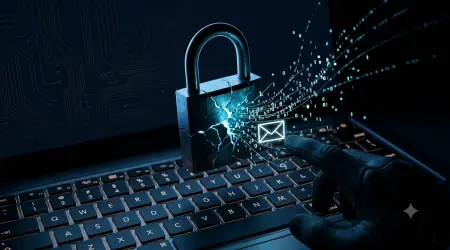
In the digital age, your inbox is a primary battleground for cybercriminals. Phishing emails have evolved from poorly written pleas from a "stranded prince" to sophisticated, targeted attacks that mimic your bank, your employer, and even your friends. The goal is always the same: to trick you into clicking a malicious link or downloading a harmful attachment.
The universal advice is, "Don't click on suspicious links." But what if you need to know? What if it's a password reset email you were expecting, a shipping notification for a recent order, or a document from a new client? The curiosity and professional obligation are real.
This is where the powerful strategy of using a temporary email address transforms from a simple tool for avoiding spam into a critical component of your cybersecurity arsenal. This article will guide you through using a disposable email as a secure sandbox to safely analyze and neutralize the threat of phishing links, all without ever exposing your primary inbox.
Understanding the Modern Phishing Landscape: Why "Just Don't Click" Isn't Enough
Before we dive into the solution, it's crucial to understand the sophistication of the threat. Phishing is no longer a blunt instrument; it's a scalpel.
- Spear Phishing: Attackers research you specifically, using information from social media (like LinkedIn) to craft highly personalized emails that are incredibly difficult to distinguish from legitimate communication.
- Business Email Compromise (BEC): Criminals impersonate executives or vendors to trick employees into wiring money or sharing sensitive data. These emails often contain no links at all, just a compelling, urgent request.
- Clone Phishing: A legitimate email you previously received is copied, but its legitimate links or attachments are replaced with malicious ones. The attacker then spoofs the sender's address to make it look like a follow-up.
- Malware-Laden Attachments: A simple PDF, Word document, or Excel sheet can contain macros or embedded code that, once opened, installs ransomware, keyloggers, or other malware on your system.
The core problem is that your primary email address is a single point of failure. It's linked to your bank accounts, social media profiles, work documents, and personal life. A single successful phishing attack can lead to:
- Identity theft
- Financial loss
- Compromised business networks
- Loss of sensitive personal data
The Solution: A Secure Isolation Layer with Temporary Email
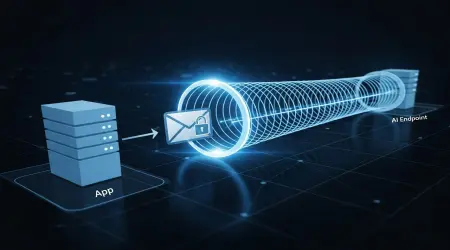
The core concept is isolation. Just as doctors use quarantine to prevent the spread of a virus, you can use a temporary email address to quarantine a potential digital threat.
A temporary email service provides you with a completely disposable, functional email address that is in no way connected to your real identity or digital ecosystem. Think of it as a digital hazmat suit for your online activities.
How Does Temporary Email Create This Secure Sandbox?
- Complete Anonymity and Disposability: The email address is generated instantly, requires no personal information to create, and is typically deleted after a short period (from 10 minutes to a few hours). This severs any link to your real identity.
- Separation from Critical Accounts: Your temporary email is not registered with your bank, Facebook, Amazon, or work servers. Even if it is compromised, the damage is contained within the "sandbox."
- Zero Risk to Your Primary Inbox: The entire interaction with the suspicious sender happens within the isolated environment of the temp mail interface. Your main inbox never even knows the threat existed.
Your Step-by-Step Guide to Safely Analyzing a Suspicious Link
Follow this professional protocol to investigate a suspicious email safely.
Step 1: Identify the Suspicious Email
First, recognize the red flags in the email sitting in your primary inbox:
- Urgency and Fear: "Your account will be closed in 24 hours!" or "Unauthorized login attempt detected!"
- Generic Greetings: "Dear Valued Customer" instead of your name.
- Spoofed Sender Address: Hover over the "from" name to see the actual email address. Look for subtle misspellings (e.g., service@paypai.com instead of service@paypal.com).
- Mismatched Links: Hover your cursor over the link (DO NOT CLICK) to see the actual URL in the status bar. If it doesn't match the legitimate company's domain, it's a major red flag.
- Unexpected Attachments: You receive an invoice or document you weren't expecting.
Step 2: Acquire Your Digital "Hazmat Suit"
Navigate to a reputable temporary email service. For this guide, we'll use the principles of a secure service like TempMailMaster.io. The process is universal:
- Go to the website. A random email address (e.g., xjk45m9d@tempmailmaster.io) is instantly generated for you.
- The inbox for this address loads directly in your browser. This is your secure sandbox.
Step 3: Forward the Suspicious Email to Your Temp Inbox
Do not click anything in the original email. Instead, use your primary email client's "Forward" function.
- Paste your new temporary email address into the "To" field.
- Forward the entire suspicious email. This moves the potential threat from your secured environment (primary inbox) to your isolated sandbox (temp inbox).
Step 4: Analyze the Threat in the Safe Sandbox
Now, inside the temp mail interface, you can interact with the forwarded email with minimal risk.
- Open the forwarded email. You are now viewing it within the isolated temp mail environment.
- You can safely click the link. Since you are using the temp inbox, any malicious website you land on will not have access to your primary email, cookies, or saved browser passwords. Observe what happens:
- Does it ask for login credentials? This is a clear phishing attempt.
- Does it try to automatically download a file? The browser within the temp mail tab can handle this without infecting your main machine.
- Does it look like a perfect replica of a legitimate site? Note the URL in the address bar—it's likely a clever fake.
- You can inspect attachments. Many modern temp mail services, understanding their role in security, have built-in virus scanning for attachments or allow you to download them in a detached, sandboxed manner.
Step 5: Discard and Report
Once your analysis is complete, your job is done.
- Simply close the browser tab. The temporary email address, along with all the malicious content, will automatically expire and be deleted from the server.
- Report the original phishing email in your primary inbox to your email provider (Gmail, Outlook, etc.) and then delete it permanently.
Beyond Basic Checks: Advanced Security Practices with Temp Mail
Using a disposable email isn't just for reactive security; it's a powerful proactive tool. To understand the full scope of how to integrate this into your daily digital life, explore our guide on The Ultimate Guide to Protecting Your Digital Identity with Disposable Emails, which covers everything from social media sign-ups to online shopping.
Choosing the Right Temporary Email Service for Security
Not all temp mail services are created equal. For security-focused tasks, ensure your chosen provider offers:
- HTTPS Encryption: The entire session must be encrypted.
- No Registration Required: The service should be truly anonymous.
- Automatic Deletion: Ensures no data persists.
- Attachment Scanning/Handling: A key feature for analyzing malware.
- User-Friendly Interface: A clean inbox makes analysis easier.
For a detailed breakdown of what to look for, our resource on Key Features to Look for in a Secure Temp Mail Provider is an essential read.
Frequently Asked Questions (FAQs)
Q1: Is using temporary email legal?
Absolutely. Temporary email services are legal tools designed for privacy and spam prevention. They become illegal only if used for illicit activities themselves, such as fraud or harassment. Using them to enhance your personal security is both legal and highly recommended.
Q2: Can a phishing site hack my computer just by me visiting it via a temp mail link?
While the risk is significantly lower, a "drive-by download" exploit is theoretically possible. These exploits target vulnerabilities in your browser or its plugins to install malware without any interaction. However, by using the temp mail in a separate browser tab, you isolate this risk. Keeping your browser updated and using a robust security solution further mitigates this already small threat.
Q3: What's the difference between using a temp mail and a full-featured virtual machine (VM) for this?
A virtual machine is the ultimate sandbox but is overkill for most users. It requires significant technical setup, resources, and time. A temporary email provides a "good enough" level of isolation for 99% of phishing emails with zero setup and is accessible to anyone. It's the practical, everyday solution.
Q4: I clicked a phishing link in my main email by accident. What should I do now?
- Disconnect from the internet to prevent any potential malware from communicating with its server.
- Run a full system scan with your antivirus/anti-malware software.
- Change your passwords immediately, starting with your email password, on a different, trusted device.
- Enable multi-factor authentication (MFA) on all critical accounts.
- Monitor your financial accounts for any suspicious activity.
Q5: Can I use this method to check links from unknown senders on social media or messaging apps?
Yes, the principle is the same. If you receive a suspicious link on WhatsApp, Discord, or SMS, you can often copy that link and have it sent to your temporary email address (many services allow you to "email yourself" a link). You can then open that email in your temp inbox and click the link safely.
Conclusion: Empower Yourself with Proactive Security
The "don't click" mantra is a good starting point, but it's a defensive, fear-based strategy. By incorporating a temporary email address into your security toolkit, you shift to a proactive, empowered stance. You move from avoiding threats to actively analyzing and understanding them in a controlled, safe environment.
This practice is not just for IT professionals; it's for anyone who uses email. It represents a fundamental upgrade to your digital hygiene, allowing you to navigate the online world with greater confidence and safety. So the next time an email makes you hesitate, don't just ignore it and hope for the best. Deploy your secure sandbox, analyze the threat with zero risk, and take back control of your inbox security.
Written by Arslan – a digital privacy advocate and tech writer/Author focused on helping users take control of their inbox and online security with simple, effective strategies.