
Public Inbox Risks: How Shared Domains Expose Your Private Email
Public Inbox Risks: How Shared Domains Expose Your Private Email
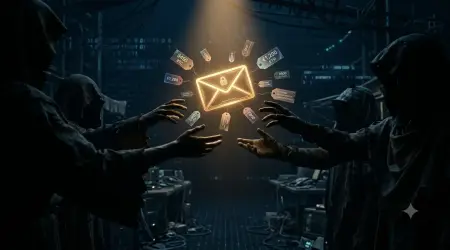
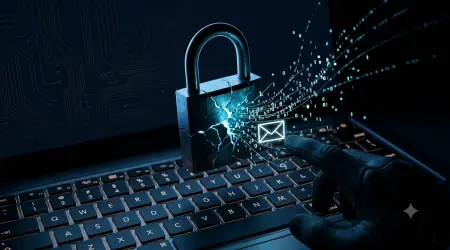
Temporary email services can seem like a handy hack to avoid spam or protect your identity online. However, many of these disposables use public shared domains – effectively open mailboxes that anyone can read. In practice, this means your “private” messages can be easily scraped or viewed by strangersproton.meatomicmail.io. For example, ProtonMail’s blog warns that most throwaway email services use public inboxes, so “anyone can read your email if they have access to your temporary email address”proton.me. Disposable inboxes typically have no passwords or encryption, so discovering the address is all it takes for attackers or automated crawlers to scan your messagesproton.metempmailmaster.io. In short, a public disposable inbox is like leaving your mailbox unlocked in a busy park: convenient for dropping in mail, but dangerously exposed to prying eyes.
Public disposable email inboxes may feel quick and easy, but anyone who knows the address (or a bot that scans URLs) can check them. Shared domains mean your “temp” email isn’t really privateproton.meatomicmail.io. In many cases, these inboxes are completely open: as one analysis explains, “anyone who knows the address (or page URL) can view incoming mail” in public temporary email servicesatomicmail.io. Services like Mailinator explicitly acknowledge this fact – their public domains are “intended as public domain data,” with “no intended or implied privacy”mailinator.commailinator.com. In practice, this shared setup means a malicious scraper or random user could see any message sent to your disposable address.
How Public Disposable Inboxes Work
Most free temporary mail providers let you pick a random or arbitrary address on a common domain (e.g. anything@mailinator.com, xyz@guerrillamail.com, etc.) without any signup. This shared-domain approach simplifies setup, but also creates serious risks:
- No Access Controls: Public inboxes require no login credentials or 2FA. Anyone who guesses or intercepts the address can visit the website and read the emails. Mailinator notes openly that its free inboxes are shared and public – “anyone can view the messages in these inboxes”mailinator.com.
- Indexing by Crawlers: Because public inbox pages are accessible via simple URLs, web crawlers and search engines can index them. Inboxes can be easily scraped by automated bots that scour the web. As AtomicMail points out, many disposable addresses are “public or guessable; inboxes can be scraped or shared”atomicmail.io, meaning your messages might be archived by search engines or data harvesters without you realizing it.
- Domain Reuse: These services use a small set of domains for all users. Thousands of people share @mailinator.com, for example, so any single inbox on that domain has no privacy guarantee. There’s no way to make your address truly unique to just you. In fact, Mailinator provides paid private domains precisely because the public ones are communal and exposedmailinator.com.
- Ephemeral Yet Exposed: Many temporary addresses last minutes or hours before expiring. You might assume deletion ensures privacy, but attackers or bots could access the inbox while it’s active. In one case, researchers found that disposable email services often didn’t even tell users their inboxes were publicportswigger.net, so people unknowingly posted sensitive info to open mailboxes.
- No Encryption: Beyond being public, most disposable inboxes lack any end-to-end encryption. ProtonMail’s guide warns that throwaway providers “rarely implement end-to-end encryption” and simply pass messages in cleartextproton.me. This means the service operator (or anyone who compromises it) can read every email, and network attackers could also sniff the contents. Combined with the public nature, your messages are doubly vulnerable.
In effect, a public temporary inbox is like a blackboard in a public place: it’s easy to use, but everyone can read what you write. For example, the TempMailMaster blog notes that if you “enter any desired email address” on a public inbox site, you can immediately access that inbox without logging inatomicmail.iotempmailmaster.io. This zero-barrier design is why privacy is not guaranteed.
Privacy & Security Risks of Shared Inboxes
Using a disposable email on a public domain can lead to many problems:
- Strangers Reading Your Emails: Without authentication, anyone can open your inbox if they guess the address. AtomicMail warns: “Lots of temporary addresses get reused or shared openly. That means a stranger could be reading your emails, or even using them at the same time as you”atomicmail.io. Similarly, ProtonMail states flatly that public inboxes let anyone who knows your address view your emailsproton.me. Imagine sending a password reset link or account details to a public address – it’s like handing over a printed copy to a random passerby.
- Bots and Scrapers Harvesting Data: Automated scrapers routinely scan public inbox services. They may index email content, extract links, or collect email addresses en masse. One industry analysis notes bluntly: “many disposable email addresses are public or guessable; inboxes can be scraped”atomicmail.io. In practice, this means search engines or spam bots could list your temporary email or even archive messages. Worse, cybercriminals sometimes use scraping tools to find active public inboxes and pluck out valuable information like login links or personal data.
- Email Tracking and Surveillance: Researchers have used disposable inboxes as honeypots to study email tracking. A 2019 security study found that over 50% of major websites embed trackers in emails, and they often test this by sending to public temp-mail accountsportswigger.net. Because these inboxes are public and unprotected, anyone who monitors them can also gauge when you opened messages. In many cases, users aren’t even warned that the inbox is public – meaning they “could input some sensitive information and not realize that others are using the inboxes”portswigger.net.
- No Account Recovery or Control: By design, you don’t “own” a public temporary inbox. Once it expires or you stop using it, it vanishes. AtomicMail highlights this “no way back” issue: if your temp email vanishes, you lose access to everything sent there, including password resets or receiptsatomicmail.io. Furthermore, because addresses collide, someone else might inadvertently receive an email meant for you (if they chose the same alias at a different time).
- Phishing and Impersonation Risks: Attackers can actually hijack public inboxes to impersonate you. AtomicMail warns that “because inboxes are public or reused, attackers can hijack them to impersonate you, reset your accounts, or run phishing scams”atomicmail.io. For instance, if you use a public disposable for service sign-ups, someone else could sign up with the same address, intercept confirmation codes, and take over your account.
- Data Collection and Abuse: Some disposable email providers monetize data passing through their servers. AtomicMail notes that “some providers quietly collect or sell the data passing through their systems”atomicmail.io. Your throwaway email might end up in data leaks or marketing databases without your knowledge. In short, the service might be free, but you pay with lost privacy.
- Blocked by Sites and Reputation Hits: Many platforms recognize public disposable domains and block them. Even if privacy weren’t a concern, you might find your address rejected by websites or flagged as spam due to its known public domain. Additionally, businesses often consider replies from disposable addresses untrustworthy. AtomicMail mentions that using a 10-minute email “makes you look unprofessional and untrustworthy” to companies or communitiesatomicmail.io, which can hurt your credibility.
These combined risks mean that sharing a domain among many users effectively erodes the privacy that temporary email is supposed to offer. In practice, public disposables are great for avoiding a few marketing emails, but terrible for anything sensitive. One reviewer concludes: “Disposable addresses give up a bit of convenience for a lot more risk”atomicmail.io.
Public vs. Private Temporary Inboxes
Not all disposable email services work the same way. Some offer private inboxes or alias systems on dedicated domains. For example, Mailinator provides private domains (like companyname@mailinator.com) where only you can view mailsmailinator.com. In contrast, their free @mailinator.com addresses are public. The key difference is ownership and encryption. AtomicMail and TempMailMaster both emphasize that private alias services or encrypted inboxes are far safer. In fact, a TempMailMaster guide explicitly compares 10-minute mail to permanent “alias” addresses and notes that shared, public 10-minute mail has “shared inboxes, no encryption” versus private services with “dedicated inboxes, some encryption”tempmailmaster.io. This gap illustrates that when you give up a protected email system, you sacrifice security.
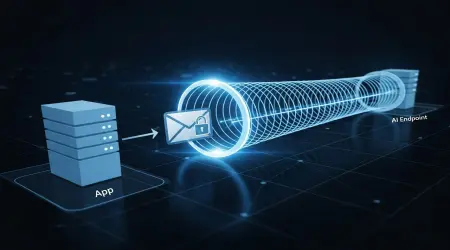
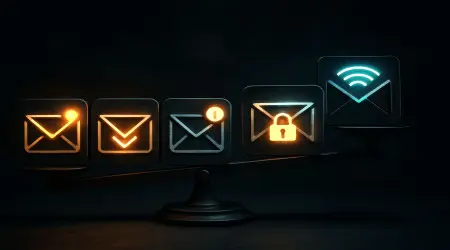
Figure: The contrast between insecure public burn-mail and secure private aliases is clear: public inboxes allow open access, while private systems lock down your messages. The second image below highlights how switching to an encrypted mailbox keeps your emails safe.
To protect your emails, experts recommend switching to secure, private inboxes instead of public ones. Unlike public disposables, encrypted alias services let you create unique temporary addresses that forward to your real inbox. Each alias uses encryption and authentication, so only you can read the mail. For instance, ProtonMail advises using email aliases (which it calls “hide-my-email”) to shield your identity while still keeping messages encryptedproton.me. Similarly, providers like AtomicMail highlight features such as end-to-end encryption, no data logging, and recoverable inboxes as essential countermeasures to the flaws of 10-minute mailatomicmail.ioproton.me.
In practice, the solution is to use a disposable email strategy rather than a naive public inbox. For example:
- Use temporary aliases or unique domains that only you control. If a service offers private/paid domain, prefer that over a generic public one.
- Choose providers that emphasize privacy: look for end-to-end encryption and zero-logging policiesproton.metempmailmaster.io.
- Restrict use of any public disposable to truly one-off, low-value tasks. Never use it for passwords, banking, or official accounts. As one guide warns, these throwaways should not be used for anything “important or confidential”scrupp.com.
- Delete or abandon the address as soon as you no longer need it. If you must reuse an email, use a fresh alias each time.
- Check the service’s privacy disclosures. Some temp services openly state their public domain naturemailinator.com; if privacy matters, skip them entirely.
By following these practices, you can enjoy the spam-protection benefits of disposable email without handing over your privacy on a platter. As TempMailMaster advises, temporary addresses are “about taking control of your digital presence,” using them wisely to protect your primary inboxtempmailmaster.iotempmailmaster.io.
Frequently Asked Questions
Q: Are temporary/disposable emails safe to use?
A: Disposable emails are safe for low-risk tasks like signing up for a demo or newsletter. They block spam from your real inbox. However, safety depends entirely on how they’re implemented. Public disposable services have significant privacy flawsproton.mescrupp.com. If an address is on a shared domain with no password, anyone (or any bot) can view incoming mail. So avoid using them for anything sensitive (banking, personal accounts, etc.)scrupp.comatomicmail.io. In general, treat public temp mails as one-time throwaways only, and never assume they’re truly private.
Q: What exactly is a “public inbox” service?
A: A public inbox (like Mailinator or 10MinuteMail) is a disposable email system where all users share open domains. You pick any username on that domain and immediately get an inbox viewable by anyone. No login or password is needed. In effect, it’s a free-for-all mailbox. Mailinator’s own documentation emphasizes this: its free inboxes “are intended as public domain data” with “no privacy”mailinator.com. In plain terms, using a public inbox is like publishing your emails on a public webpage.
Q: How can “scrapers” read my temporary emails?
A: Scrapers are automated tools that crawl and extract data from the web. Public inbox pages have predictable URLs (often just the username) and no access controls, so web crawlers or malicious bots can systematically fetch them. Security researchers note that many disposable inbox messages get scrapedatomicmail.io. Search engines can even index them if not blocked. Once indexed, anyone can search for content from your temp inbox. That’s why providers consider these public by default. In short, if a bot knows a valid temp-email address, it can harvest all messages sent there.
Q: I only use temporary email for spam prevention. Is that okay?
A: If you strictly use it to catch low-value messages (like promo codes, one-time codes, etc.), it can work, but still do so cautiously. Never use a public disposable for password resets or sensitive communications. Remember that anything sent there can leak. Also, some sites block known disposable domains, so you might be denied service. A safer approach is to use a private alias that forwards to your real account: it still filters spam but keeps you in control.
Q: What’s the difference between public disposable email and private alias systems?
A: Public disposables share open domains with no privacy guarantees. Private alias systems give you email addresses on a domain you or the provider control, often with encryption. For example, ProtonMail lets you create alias addresses that all forward to your secure inbox. These are not publicly viewable and you can disable them at will. As one TempMailMaster comparison shows, private services provide “dedicated inboxes, some encryption,” whereas 10-minute mail is “shared inboxes, no encryption”tempmailmaster.io. In practice, a private alias is much more secure and flexible.
Q: Can I trust all temporary email services equally?
A: No. Quality varies widely. Some free services are reputable and honest about limitations, while others may harvest your data. Always read the privacy policy. If a service shows lots of ads, requires no login, and emphasizes “quick” or “no registration”, treat it with suspicion. TempMailMaster, for instance, advises using known, secure providers and warns against shady servicestempmailmaster.io. When in doubt, choose a paid or well-reviewed service that offers SSL/TLS, minimal ads, and clear terms.
Conclusion
Disposable emails can be a powerful tool for spam avoidance, but public shared inboxes carry serious privacy risks. We’ve seen that public domains mean anyone can read your messagesproton.meatomicmail.io. Automated scrapers will index these open inboxes, and attackers can hijack or impersonate users on thematomicmail.ioportswigger.net. The key takeaway is to never assume a public disposable is truly private. For any important or long-term use, switch to a private, encrypted email solution – such as secure aliases or an encrypted mailbox – where only you hold the keysproton.metempmailmaster.io.
By understanding these risks and following best practices (for example, TempMailMaster’s tips on wisely using disposable emailtempmailmaster.iotempmailmaster.io), you can protect your real inbox. Always remember: the main advantage of temporary email is freedom from unwanted mail, not a free pass to disregard privacy. Use them carefully, and choose secure alternatives whenever possible, to keep your personal email truly private.
Written by Arslan – a digital privacy advocate and tech writer/Author focused on helping users take control of their inbox and online security with simple, effective strategies.