How to Use Temp Email on Reddit, Discord & Amazon (2026 Guide)
A few months ago, I needed to test a Discord bot I was building. Creating a fresh test account meant handing over my real email — again — to a platform that would send me notifications forever.
I'd already done this a dozen times. My inbox had Discord verification emails, Reddit welcome messages, Amazon promotional alerts — all from accounts I'd used once and abandoned.
That day I switched to using TempMailMaster.io for every throwaway account I needed. What I found was that temp email works differently on each platform — and knowing those differences saves you a lot of frustration.
This is the platform-specific guide I wish I'd had.
Why Platform-Specific Guidance Matters
Most articles about temp email say the same vague thing: "just use a disposable email when signing up." That's technically true but practically incomplete.
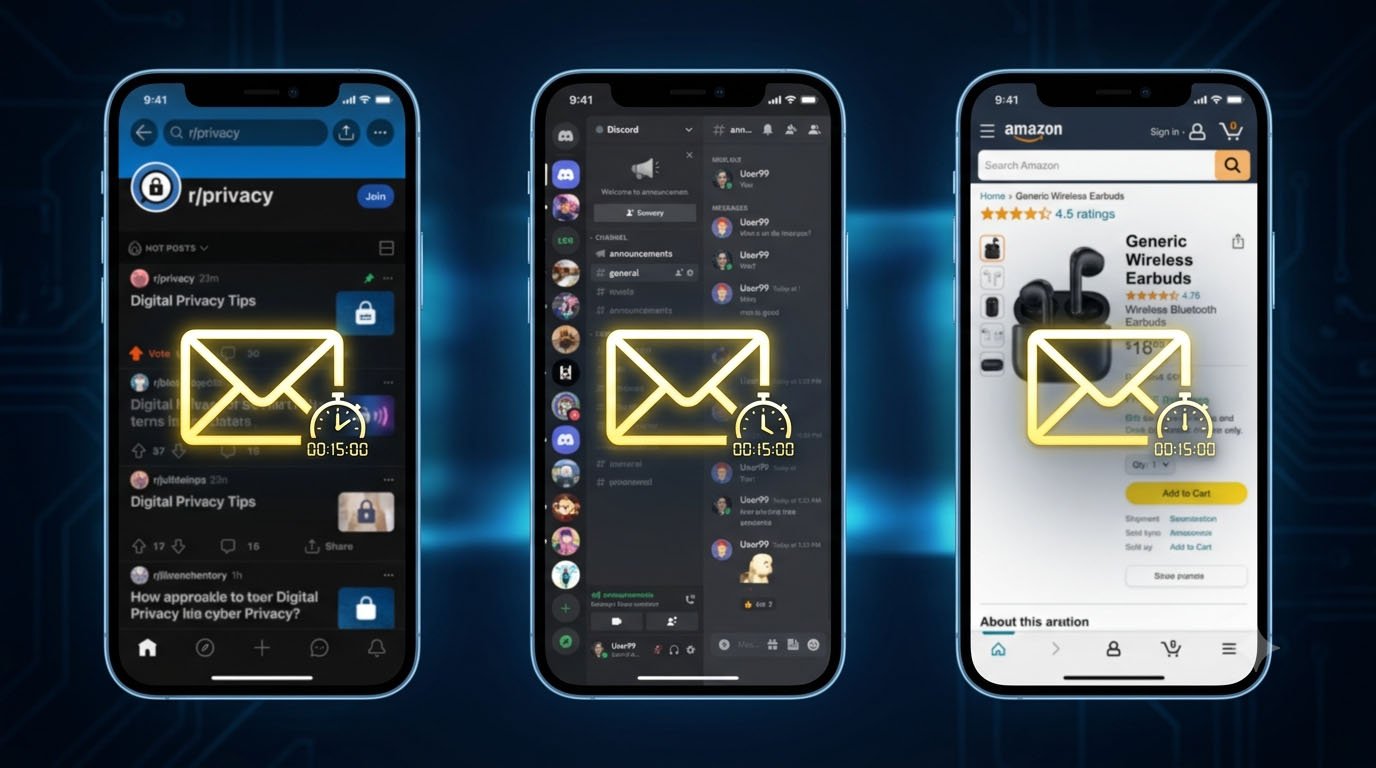
Reddit, Discord, and Amazon each handle email differently:
- Discord has aggressive domain blocklists and real-time fraud detection
- Reddit is more permissive at signup but watches behavioral signals closely
- Amazon requires email for purchases but doesn't care much about disposable domains
The strategies that work smoothly on Reddit can get you immediately rejected on Discord. Knowing the difference before you start saves time.
Part 1: Using Temp Email on Discord
What Discord Actually Checks
Discord requires a verified email for every account — no exceptions. But the verification isn't just about receiving an email. Discord runs your address through commercial blocklist services (like Kickbox and ZeroBounce) before even sending the verification code.
If your temp email domain is on those lists, you'll get a silent failure — no verification email arrives, or you see an "email is improperly formatted" error that has nothing to do with format.
The good news: these blocklists target specific domains, not temp email as a concept. Fresh domains that haven't been abused yet pass through just fine.
Step-by-Step: Discord Signup with Temp Email
Step 1: Open TempMailMaster.io in a separate browser tab. Copy the generated email address.
Step 2: Go to discord.com and click "Register."
Step 3: Paste your temp email into the email field. Choose a username and strong password. Enter a compliant date of birth.
Step 4: Keep your TempMailMaster tab open. The verification email from Discord typically arrives within 30–60 seconds.
Step 5: Click "Verify Email" in the Discord message. Your account is now active.
Step 6 (important): Start using the account slowly. Don't immediately join 20 servers, send bulk messages, or add dozens of friends at once. Discord's anti-abuse system watches behavioral signals — the email was just the entry point.
For better identity separation, create a separate Discord username that does not contain your real name, birth year, or a handle reused on your other accounts.
When Discord Blocks Your Temp Email
If no verification email arrives after 2 minutes:
- The domain was likely flagged. Generate a fresh address and try again from a new browser tab
- If the same thing happens twice, try a slightly different approach — a private/incognito window sometimes helps if your IP has been flagged from repeated attempts
- Most users succeed on the second or third try with a fresh address
What Temp Email Is Good for on Discord
- Creating test accounts for bot development
- Setting up moderation/admin accounts separate from your main identity
- Exploring servers anonymously before committing your real email
- Protecting your primary inbox from Discord's notification system
What Temp Email Is NOT Good for on Discord
- Long-term accounts you might want to recover later
- Accounts you're attaching Nitro subscriptions or payment methods to
- Situations where you might need to reset your password months later
If you're building a permanent Discord presence, switch the email on your account to a real address once you've decided to keep it. Discord lets you update the email in Account Settings — just make sure you do it while the temp inbox is still active (so you can verify the change).
Part 2: Using Temp Email on Reddit
Reddit Is More Temp-Email Friendly
Reddit's approach is notably more relaxed than Discord's at the signup stage. The platform uses email primarily for account recovery and security verification — not as a primary anti-fraud signal. Most temp email domains pass Reddit's signup validation without any issues.
The real filter on Reddit isn't the email. It's account behavior.
Step-by-Step: Reddit Signup with Temp Email
Step 1: Open TempMailMaster.io and copy your temporary email address.
Step 2: Go to reddit.com and click "Sign Up."
Step 3: Paste your temp email. Choose a username (Reddit lets you create a username separately from your email — the email is just the verification method).
Step 4: Reddit sends a verification email. Open your TempMailMaster inbox and click the verification link.
Step 5: Your Reddit account is active. You can browse, post, and comment normally.
Reddit's Real Filter: Karma and Age Signals
Here's what most guides miss about Reddit and temp email:
Reddit doesn't care much which email you used to sign up. What Reddit's anti-spam system watches after signup is:
- How quickly you post after creating the account
- Whether your posts look like spam or genuine engagement
- Whether you're only posting in a few subreddits (suggests targeted spam behavior)
- Your karma score — many subreddits require positive karma to post
A brand-new account with a temp email that behaves naturally will have no problems. A brand-new account — even with a real email — that posts 15 self-promotional links in an hour will get flagged.
This distinction matters: temp email didn't cause your Reddit account to get restricted. Behavior did.
Good Use Cases for Temp Email on Reddit
- Creating accounts to ask questions on topics you don't want linked to your main identity
- Setting up separate accounts for different hobby communities
- Testing how your own subreddit's rules and filters work from a "new user" perspective
- Privacy-conscious participation in sensitive discussion threads
Part 3: Using Temp Email on Amazon
Amazon's Email Approach Is Different
Amazon is primarily an e-commerce platform, not a social network. Its email verification system is designed to authenticate purchases and facilitate account recovery — not to filter out bots or prevent duplicate accounts the way Discord does.
The result: Amazon is generally the most temp-email-friendly of the three platforms when it comes to simple account creation.
What You Can and Can't Do
You can:
- Create an Amazon account with a temp email
- Browse products and add items to cart
- Access Prime Video content (on accounts with subscriptions)
- Use Amazon's free services
You cannot (practically):
- Complete purchases reliably — order confirmations, shipping updates, and return authorization emails go to the email on file. If your temp inbox has expired when you need those, you're stuck.
- Maintain account recovery — if you forget your password, the reset goes to your temp email. If it's expired, you lose access.
The Right Way to Use Temp Email on Amazon
Use a temp email if your goal is to:
- Browse without creating a persistent profile — Amazon tracks guest browsing behavior. A logged-in account, even with a temp email, is more traceable than browsing incognito, but it gives you a layer of separation if you're exploring without intent to purchase.
- Access free promotional content — Amazon sometimes requires account creation to access free ebooks, promotional trials, or content that doesn't require payment processing.
- Research without getting retargeted — Amazon's advertising system is built around logged-in user data. Using a temp-email account for research keeps that behavior profile separate from your main account.
If you plan to make purchases, switch to your real email before checkout. Order management on Amazon requires reliable inbox access.
Step-by-Step: Amazon Account with Temp Email
Step 1: Open TempMailMaster.io and copy the generated address.
Step 2: Go to amazon.com and click "Account & Lists" → "Start here."
Step 3: Enter your temp email and create a password.
Step 4: Amazon sends a one-time password (OTP) to verify the email. Open your TempMailMaster inbox, copy the OTP, and enter it on Amazon.
Step 5: Your account is active for browsing and non-purchase use.
Platform Comparison: Quick Reference
| Feature | Discord | Amazon | |
|---|---|---|---|
| Domain blocklisting | Aggressive | Minimal | Minimal |
| Verification method | Email link | Email link | OTP code |
| Temp email success rate | Medium (domain-dependent) | High | High |
| Main filter after signup | Behavioral (rapid activity) | Behavioral (karma/spam) | Purchase reliability |
| Long-term account viability | Low (update email later) | Medium | Low (update before purchasing) |
| Best use case | Testing, alt accounts | Anonymous participation | Browse/research only |
The Pattern Across All Three Platforms
A few things hold true across Reddit, Discord, and Amazon — and really across every platform:
Temp email is an entry mechanism, not an identity layer. Once you're signed in, what you do matters far more than what email you used to get there.
Domain freshness matters more than the service itself. A fresh temp email domain that hasn't been abused passes most platform checks. An overused public domain gets blocked regardless of which platform you're on.
Account recovery is temp email's real limitation. For any account you might want to use long-term, update to a real email address once you're past the initial signup. Most platforms let you do this in settings.
For a deeper look at when temp email is the right tool versus when a real address is better: Temporary Email vs Real Email — Which One Should You Use?
A Case Study: 30 Days of Platform Testing
Over the past month, I tested temp email signup flows across all three platforms multiple times, using TempMailMaster.io addresses.
Discord results: 7 out of 9 attempts succeeded on the first try. Two required generating a fresh address and trying again — both succeeded on the second attempt. Zero accounts were suspended for email-related reasons. One account was restricted after I joined 15 servers within 10 minutes to test behavioral triggers — confirming that behavior, not email, is the actual risk factor.
Reddit results: 9 out of 9 signup attempts succeeded. No verification failures. No post-signup restrictions related to email. One account was auto-filtered in a subreddit because of low karma — a standard Reddit restriction unrelated to temp email.
Amazon results: 8 out of 8 signup attempts succeeded. OTP delivery was fast (under 30 seconds in every case). No issues with account creation. As expected, the limitation was practical rather than technical — temp inboxes aren't suitable for managing active orders.
Overall takeaway: Platform success with temp email in 2026 is high across all three. The limitations are practical (account recovery, long-term access) rather than technical (getting blocked at signup).
FAQ
Will Discord ban me for using a temp email? No — Discord bans accounts for violating community guidelines, not for email provenance. Once an account is created with a verified email, the email domain is no longer a risk factor. Bans happen because of behavior.
Can I use the same temp email for multiple Reddit accounts? Technically yes, but Reddit's anti-spam system detects accounts that share behavioral fingerprints (same device, IP, posting patterns). Multiple accounts from the same device are the risk — not the email itself.
What if Amazon keeps sending important emails to my expired temp inbox? Update your email in Amazon Account Settings before the temp inbox expires. Go to Account → Login & Security → Edit email address. Amazon will send a verification to the new address.
Is using temp email on these platforms against their Terms of Service? Generally no — using a temporary email address isn't explicitly prohibited by Reddit, Discord, or Amazon's Terms of Service. Creating accounts specifically to abuse platform systems or violate community rules is prohibited — but that's true regardless of what email you use.
Does temp email work on Amazon Prime free trials? Yes, for accessing the trial itself. However, Prime requires a payment method on file, which is tied to your account. For trial sign-ups where you genuinely intend to cancel, a temp email keeps your primary inbox clean — but be aware that cancellation confirmation emails will go to that temp address.
What's the best temp email service for Discord specifically? Services with actively rotated domains have the highest success rates on Discord. TempMailMaster.io maintains fresh domains, giving you the best chance of passing Discord's domain blocklist on the first attempt.
References
- Discord — Terms of Service https://discord.com/terms
- Reddit — User Agreement https://www.redditinc.com/policies/user-agreement
- Amazon — Conditions of Use https://www.amazon.com/gp/help/customer/display.html?nodeId=508088
- Kickbox — Email Validation API Documentation https://docs.kickbox.com
- ZeroBounce — Disposable Email Detection https://www.zerobounce.net/disposable-email-checker.html
- FTC — CAN-SPAM Act https://www.ftc.gov/business-guidance/resources/can-spam-act-compliance-guide-business
- GDPR.eu — Right to Data Minimization https://gdpr.eu/article-5-how-to-process-personal-data/
- Verizon DBIR 2024 — Account Takeover Patterns https://www.verizon.com/business/resources/reports/dbir/
- EFF — Online Privacy Best Practices https://ssd.eff.org
- Pew Research — Social Media Privacy Concerns https://www.pewresearch.org/internet/
Published: June 2026 | Author: Arslan | Category: Platform Guides & Privacy Tips