Dev Cheat Sheet: 15 Essential Test Cases for Email Validation
The Developer's Ultimate Cheat Sheet: 15 Essential Test Cases for Email Validation
In the digital world, the humble email field is your first line of defense and your primary gateway to user communication. A poorly validated email address is more than a minor bug; it's a direct pipeline to spam accounts, failed password resets, broken communication loops, and corrupted analytics. For developers and QA engineers, rigorous email validation is non-negotiable.
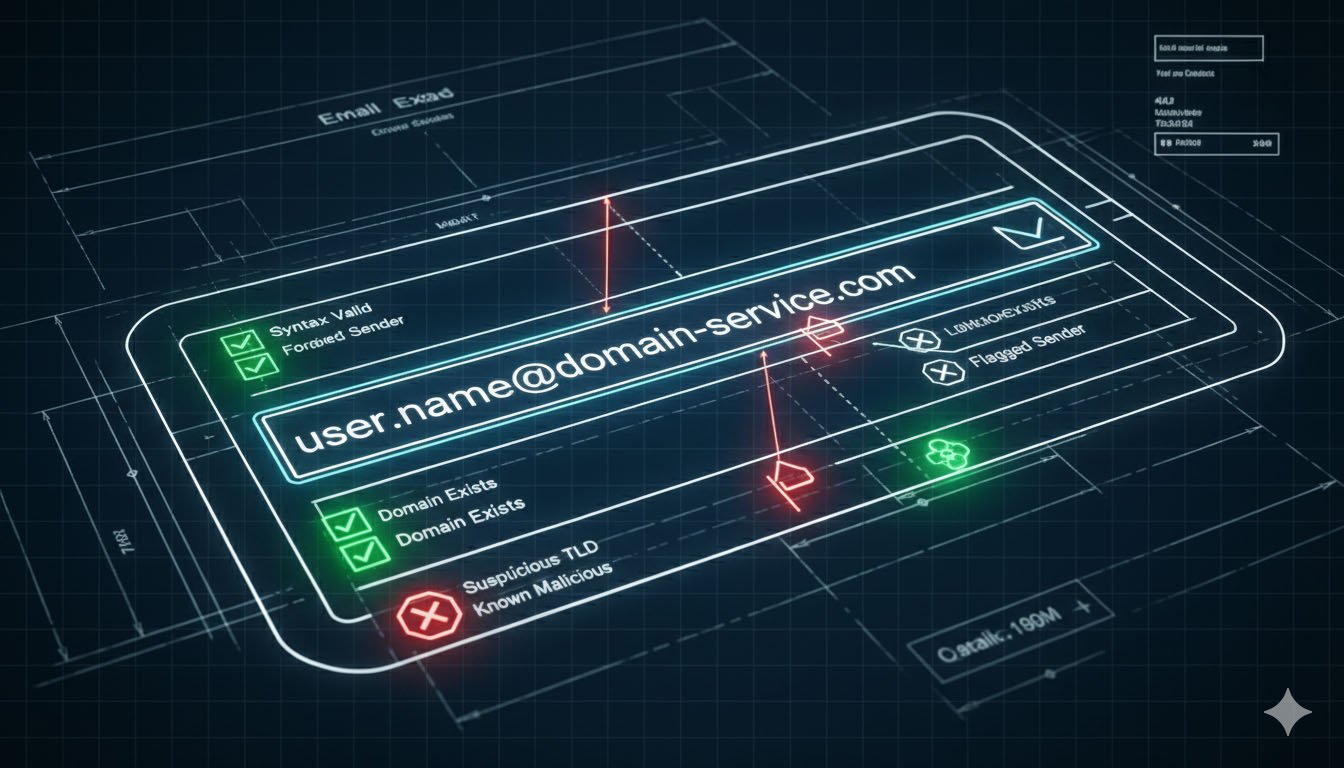
This comprehensive guide provides a battle-tested cheat sheet of 15 essential test cases for email fields. We'll move beyond simple "contains an @" checks and dive into a multi-layered validation strategy that encompasses syntax, security, functionality, and business logic. Implementing these tests will significantly enhance your application's data integrity, user experience, and security posture.
Why Basic Email Validation Isn't Enough
Many applications stop at a rudimentary regular expression (regex) check. While a good start, this is a porous defense. Consider these real-world problems that simple regex misses:
- Spam and Fraud: Disposable or temporary email accounts can be used for abuse, spam, and fraudulent sign-ups.
- User Typos: A simple typo (e.g., user@gmai.lcom) creates a "ghost" account that the user can never access, leading to support tickets and churn.
- Deliverability Issues: An email address with a non-existent or misconfigured mail server (missing MX record) will bounce, making transactional emails and password resets useless.
- System Exploits: Malicious input can lead to SQL injection, cross-site scripting (XSS), or buffer overflows if not properly sanitized.
A robust validation strategy addresses these layers. Let's break down the 15 test cases you must implement.
Category 1: Syntax & Format Validation
This is the foundational layer, ensuring the email address is structurally correct according to internet standards (RFC 5322).
Test Case 1: Standard Valid Email Formats
Objective: Verify the system accepts a wide range of technically valid email formats.
- Test Data:
- simple@example.com
- very.common@example.com
- disposable.style.email.with+symbol@example.com (Sub-addressing with +)
- other.email-with-hyphen@example.com
- fully-qualified-domain@example.com
- user.name+tag+sorting@example.com (Complex sub-addressing)
- x@example.com (One-letter local-part)
- example-indeed@strange-example.com (Hyphens in domain)
- admin@mailserver1 (Valid, but rare, top-level domain)
- Expected Result: All addresses should be accepted as valid.
- Why It Matters: Being overly restrictive can block legitimate users. Supporting standards like plus-addressing (+tag) is a feature many power users rely on for filtering.
Test Case 2: Invalid Syntax & Common Typos
Objective: Ensure the system correctly rejects malformed email addresses.
- Test Data:
- plainaddress (Missing @ and domain)
- @no-local-part.com (Missing local-part)
- user@.no-leading-dot.com (Leading dot in domain)
- user@no-tld. (Trailing dot in domain)
- user@-hyphen-start.com (Leading hyphen in domain label)
- user@hyphen-end-.com (Trailing hyphen in domain label)
- user@double..dot.com (Consecutive dots in domain)
- user@spaced domain.com (Space in domain)
- user name@example.com (Space in local-part)
- Expected Result: All addresses should be rejected with a clear, user-friendly error message.
- Why It Matters: Prevents garbage data at the point of entry and guides users to correct their input.
Test Case 3: International & Unicode Characters (SMTPUTF8)
Objective: Test support for email addresses with non-ASCII characters, crucial for global applications.
- Test Data:
- 用户@例子.软件 (Chinese characters)
- Pelé@example.com (Accented Latin characters)
- θσ@example.com (Greek characters)
- Expected Result: The system should accept valid internationalized email addresses.
- Why It Matters: Failing this test alienates a global user base and is a sign of a non-inclusive design.
Category 2: Security & Malicious Input Sanitization
This layer protects your application from malicious actors trying to exploit the email input.
Test Case 4: SQL Injection Attempts
Objective: Prevent database manipulation by sanitizing inputs that resemble SQL commands.
- Test Data:
- user@example.com'; DROP TABLE users;--
- ' OR 1=1--@example.com
- admin@example.com'--
- Expected Result: The input should be rejected or sanitized. Crucially, the application must not execute any part of the input as SQL. No database errors should be exposed to the user.
- Why It Matters: A fundamental security test to prevent catastrophic data loss or unauthorized data access.
Test Case 5: Cross-Site Scripting (XSS) Attempts
Objective: Ensure the application does not execute embedded scripts from the email input.
- Test Data:
- ""@example.com
- user@example.com
- Expected Result: The input should be rejected or the script tags should be safely HTML-encoded if displayed back on a page (e.g., in an error message). No script should execute.
- Why It Matters: Prevents attackers from hijacking user sessions or defacing your website.
Test Case 6: Extreme Length & Buffer Overflows
Objective: Check that the system handles unusually long inputs gracefully without crashing.
- Test Data:
- A string of 500+ characters followed by @example.com.
- An email where the local-part is exactly 64 characters (the maximum per RFC) and the domain is 255 characters.
- Expected Result: For the overly long string, the system should reject it with a "too long" error. It should not crash, truncate data silently, or exhibit unusual behavior.
- Why It Matters: Protects against denial-of-service (DoS) attacks and buffer overflow exploits.
Category 3: Functional & Deliverability Validation
This is where we move beyond "is it correct?" to "can we use it?". This layer significantly improves data quality.
Test Case 7: Disposable/Temporary Email Addresses
Objective: Block email addresses from known temporary email services to reduce spam and fake accounts.
- Test Data:
- temp123@mailinator.com
- test@guerrillamail.com
- fake@10minutemail.com
- Expected Result: The system should reject these addresses, stating that disposable emails are not allowed.
- Why It Matters: Drastically improves lead quality, reduces database bloat, and mitigates spam-related abuse. For a deep dive into the risks and solutions, explore our guide on The Dangers of Disposable Email Addresses and How to Block Them.
- Pro Tip: Use a third-party API or maintain a curated blocklist of disposable domains for robust protection.
Test Case 8: Domain Existence & MX Record Check
Objective: Verify that the domain in the email address actually exists and is configured to receive mail.
- Test Data:
- user@this-domain-does-not-exist-12345.com
- user@example.com (This domain is reserved by RFC and has no MX record by default).
- Expected Result: The system should flag or reject addresses where the domain has no valid MX records.
- Why It Matters: Catches critical user typos (e.g., gmial.com) and prevents sign-ups from domains that can never receive your activation or transactional emails.
Test Case 9: Role-Based Account Detection
Objective: Identify and optionally block email addresses associated with generic roles rather than individuals.
- Test Data:
- admin@company.com
- support@domain.com
- info@website.org
- noreply@example.net
- Expected Result: Depending on your business rules, the system should either reject these or flag them for manual review.
- Why It Matters: Role accounts are often shared, can lead to poor email engagement metrics, and are less valuable for marketing. Learn more about managing these risks in our article on Why You Should Validate Role-Based Email Accounts.
Test Case 10: Catch-All Domain Verification
Objective: Identify domains configured to accept all emails sent to them, regardless of the local-part.
- Test Data: Use any plausible but likely non-existent address at a known catch-all domain (this often requires research or testing with specific corporate domains).
- Expected Result: An advanced validation service can detect and flag catch-all domains.
- Why It Matters: While a catch-all domain is a valid configuration, accepting an address like randomstring@catchalldomain.com can be a sign of a user trying to bypass verification or a typo on a corporate domain. It's a risk indicator for data quality.
Category 4: Usability & Edge Cases
These tests ensure a smooth and logical user experience.
Test Case 11: Trim Leading and Trailing Whitespace
Objective: Ensure the system automatically trims whitespace from the input to prevent user error.
- Test Data:
- " user@example.com " (Spaces before and after)
- "user@example.com\t" (Tab character at the end)
- Expected Result: The system should accept the email but store and use it as user@example.com without the surrounding whitespace.
- Why It Matters: A classic source of "I signed up but didn't get the confirmation email" support tickets.
Test Case 12: Case Sensitivity Handling
Objective: Confirm the system treats email addresses as case-insensitive, as per RFC standard.
- Test Data:
- USER@EXAMPLE.COM
- User@Example.com
- user@example.com
- Expected Result: All variations should be accepted and normalized (typically to lowercase) to represent a single, unique user.
- Why It Matters: Prevents duplicate accounts and ensures users can log in regardless of their Caps Lock key.
Test Case 13: Unique Email Enforcement
Objective: Test that the system correctly identifies and prevents duplicate email addresses during registration.
- Test Data: Attempt to register a second account using existing-user@example.com, which is already in the database.
- Expected Result: The system should reject the registration with a clear message like "An account with this email already exists."
- Why It Matters: Fundamental to user account management and security.
Test Case 14: Email Verification/Confirmation Flow
Objective: Validate the end-to-end process of sending a verification email and activating the account.
- Steps to Test:
- Submit a valid, testable email address in the sign-up form.
- Check the inbox for the received email.
- Click the verification link.
- Verify the account status changes to "active."
- Test that clicking the same link twice does not cause an error.
- Expected Result: A timely, well-formatted email is sent, the link activates the account, and the flow is idempotent (safe to retry).
- Why It Matters: This is the critical gatekeeper for ensuring you have a real, accessible email address for each user.
Test Case 15: Integration with Backend Systems
Objective: Ensure the validated email is correctly passed to and processed by downstream systems (e.g., CRM, Marketing Automation).
- Test Data: A valid, unique email address.
- Expected Result: After successful sign-up and verification, the email address should appear correctly in all connected systems without errors or data corruption.
- Why It Matters: Validation is pointless if the data breaks your CRM integration or marketing workflows.
Frequently Asked Questions (FAQs)
Q1: Should I perform MX record checks in real-time during sign-up?
It depends on your performance and user experience requirements. A real-time MX check can add a few hundred milliseconds to the sign-up process. For most consumer applications, it's a worthwhile trade-off for data quality. For high-traffic sign-up flows, you might consider doing it asynchronously after the initial sign-up.
Q2: Is using a third-party email validation API worth it?
Absolutely. Building and maintaining your own validation system, especially for disposable domain lists, MX record checks, and catch-all detection, is resource-intensive. A dedicated API is often more accurate, updated more frequently, and more cost-effective in the long run.
Q3: How strict should I be with validation? What if I block a legitimate user?
The goal is to block abuse, not legitimate users. Start with a balanced approach: be strict on syntax and security, but consider making disposable email and role-account checks a configurable setting. Always provide a clear error message and, if possible, an alternative (e.g., "Please use your work email address").
Q4: What's the best regex for email validation?
The "perfect" RFC-compliant regex is incredibly complex. Don't try to write your own. Use a well-established, simple regex like ^[^\s@]+@[^\s@]+\.[^\s@]+$ for a basic client-side check, and rely on server-side, multi-layered validation (including a confirmation email) for true robustness.
Q5: How do I test the entire email flow without spamming real inboxes?
Use services like Mailtrap or Ethereal.email for development and staging environments. These services capture sent emails without actually delivering them, allowing you to inspect the content and links safely.
Conclusion: From Cheat Sheet to Robust System
Email validation is not a one-size-fits-all task. It's a strategic, multi-layered defense mechanism that protects your application, ensures clean data, and provides a seamless user experience. By implementing these 15 test cases—spanning syntax, security, functionality, and usability—you transform your email field from a simple text box into a powerful gatekeeper.
Move beyond basic regex. Integrate checks for disposable emails, validate domain existence, and rigorously test for security vulnerabilities. Your future self—and your users—will thank you for the reduced spam, reliable communication, and high-quality data.
Ready to implement bulletproof email validation? Start by integrating these test cases into your development and QA cycles today. For developers looking to offload the complexity, consider exploring specialized validation services that handle these checks seamlessly via API.
Written by Arslan – a digital privacy advocate and tech writer/Author focused on helping users take control of their inbox and online security with simple, effective strategies.