
Cloud Backup Security Myths Busted
Security Illusion Busted: Why Cloud Backups Are Not AI-Ransomware-Proof
I. Executive Summary: The Cloud Security Illusion Busted
The migration of critical data from on-premises systems to hyperscale cloud environments (such as AWS, Azure, and GCP) has often been heralded as the ultimate defense against data loss, particularly from destructive forces like ransomware. However, this assumption that cloud placement automatically confers immunity is a dangerous security illusion that organizations must immediately dismantle.1 The core conclusion drawn from current threat intelligence is that cloud backup systems are fundamentally vulnerable, not because the cloud infrastructure is weak, but because modern, AI-enhanced ransomware campaigns systematically target the weak link in the security chain: compromised administrative identity.
Ransomware is no longer an indiscriminate malware threat; it has evolved into highly automated, persistent, and predictable cybercrime designed for maximum destructive leverage.3 Attacks are now characterized by low-volume, high-impact campaigns focused on specific high-value targets.5 These sophisticated threat actors bypass technological data protection measures, such as encryption and immutability, by obtaining the "keys to the kingdom"—the privileged credentials that hold the ultimate authority to delete policies, resource locks, and the data stores themselves.6 Evidence shows that abusing valid accounts is the preferred entry point, accounting for 30% of all observed cyber incidents.8 Consequently, any effective defense strategy must shift its focus from merely backing up data to achieving robust, identity-centric isolation of the cloud recovery infrastructure.
II. The Shared Responsibility Gambit: Mismanaging Cloud Backup Exposure
The failure to achieve true ransomware resilience in the cloud begins with a misunderstanding of the Shared Responsibility Model (SRM), a foundational concept that clearly delineates security boundaries between the cloud service provider (CSP) and the customer organization.9
The Customer’s Critical Security Burden
Under the SRM, major CSPs manage the security of the cloud. This includes the underlying global infrastructure, physical security, virtualization, and network services.10 However, the customer is unequivocally responsible for the security in the cloud. This domain encompasses critical elements such as endpoint protection, network traffic encryption, application security, and, most critically, data protection and identity access management (IAM).10
A crucial misunderstanding exists around cloud backup. Built-in redundancy or replication mechanisms offered by CSPs, while useful for availability, do not constitute a true backup strategy. Backup and recovery remain exclusively the customer's responsibility.2 If an organization fails to implement robust controls around data, accounts, and access management, the CSP's secure infrastructure merely serves as a high-availability platform for the attacker to execute malicious actions.
Cloud Misconfiguration: The Primary Ransomware Attack Vector
The most common initial vulnerability exploited in cloud environments is misconfiguration.12 These security oversights often arise due to the speed of cloud deployment, complexity, and a lack of comprehensive visibility into infrastructure settings. When organizations rapidly provision resources, security best practices are often bypassed, creating easily exploitable gaps.14
Data illustrates the severity of this neglect: research indicates that only 31% of commonly used cloud storage buckets have versioning enabled, a foundational requirement for effective data recovery.15 This negligence leaves data vulnerable to the four primary ransomware techniques observed in cloud environments: data deletion, override, re-encryption, and disabling of security keys.15 When valid credentials are stolen, these misconfigurations allow an attacker to delete data directly, without needing to execute complex encryption payloads.
The failure to configure security correctly is predominantly an identity and access issue. Since the customer is wholly responsible for IAM, inadequate privilege assignment and unmonitored access controls provide the easiest path for threat actors to compromise cloud assets.16 This shifts the focus of cyber defense away from simply detecting malware and toward meticulously auditing and hardening the architectural design of identity governance.
Table: The Shared Responsibility Model in the Context of Cloud Ransomware
III. AI-Driven Attack Dynamics: Compromising the Cloud Backup Admin
The escalation of ransomware effectiveness is directly tied to the adoption of sophisticated automation and machine learning by threat actors. This capability allows them to efficiently overcome conventional defenses and precisely target the highest-value accounts—those controlling the cloud backup infrastructure.
Credential Compromise: The Path of Least Resistance
Using valid, stolen accounts remains the dominant method for initial access, accounting for nearly one-third (30%) of incidents.8 Attackers prioritize this vector because activity performed with valid credentials appears legitimate, making detection significantly more difficult and increasing the attack’s "dwell time".19 The problem is compounded by chronic poor security hygiene among users: reports indicate 94% of passwords are reused, and 86% of data breaches involve compromised credentials.17
The Automation of Theft: AI and Credential Harvesting
Artificial intelligence is rapidly industrializing credential theft. AI algorithms now enhance credential stuffing and harvesting by analyzing vast databases of stolen credentials and rapidly testing millions of combinations against targeted services.18 This speed and efficiency dramatically increase the likelihood of successful logins before security teams can respond.21
More concerning is the use of Generative AI to craft precision-targeted social engineering campaigns. Threat actors leverage generative tools to create highly convincing phishing emails, voice phishing (vishing), and Business Email Compromise (BEC) schemes that mimic legitimate corporate communication patterns and timing.22 This bespoke targeting is highly effective at deceiving cloud service administrators, who possess the necessary rights to compromise the entire environment.23 The goal is to obtain valid credentials, which are then used by automated scripts to test validity across multi-cloud services, establish persistence (e.g., creating secondary accounts or API keys), and begin reconnaissance.23
Lateral Movement and Advanced Persistent Threats
Once a non-privileged identity is compromised, the attacker initiates lateral movement and privilege escalation.24 Threat intelligence shows that actors often use valid cloud accounts to achieve multiple tactical goals: initial access, privilege escalation, persistence, and defense evasion.16 For cloud environments, the ultimate prize is access to accounts with delete permissions on storage resources, enabling the final stage of the ransomware attack.6
Advanced Persistent Threats (APTs), often linked to organized criminal organizations or nation-state actors, are particularly adept at this type of infiltration.4 These groups establish long-term, stealthy footholds (high dwell time) using stolen credentials to gather intelligence before launching destructive, cloud-based ransomware campaigns. Since these operations are designed for rapid control and are aided by automation 23, the defense strategy must focus on instant detection of anomalous, privileged activity, particularly those related to backup resource modification or deletion.6 A mandatory defense against this industrialization of theft is the combination of robust Privileged Access Management (PAM) and phishing-resistant multi-factor authentication (MFA).26
IV. The Immutability Paradox: Attacking the Backup Policy
Many organizations rely on immutable storage—the practice of rendering backup data unchangeable for a defined retention period—as their ultimate failsafe against ransomware. While immutable backups are recognized as one of the most effective solutions for data protection, fulfilling the write-once-read-many (WORM) paradigm 2, the concept is often misunderstood as a complete solution against a credentialed adversary.
Immutability and the 3-2-1-1-0 Rule
Immutable storage is a critical technological component required to meet advanced cyber resilience standards, such as the widely accepted 3-2-1-1-0 rule. This rule mandates three copies of data, stored on two different media types, with one copy off-site, one copy being immutable, and verification guaranteeing zero errors.11 By preventing modification or encryption of the archived data, immutable storage provides a pristine recovery point even after a system-wide compromise.31
However, technological immutability only guards the data itself; it does not protect the administrative mechanism that controls the immutability policy. This architectural vulnerability creates the "Immutability Paradox."
The Bypass Mechanism: Targeting the Control Plane
The assumption of cloud backup immunity is immediately shattered when the attacker gains control of the master administrative account—the Global Administrator or Cloud Backup Admin identity that possesses the permission to manage the security policies.7
In sophisticated attack sequences, threat actors do not waste time attempting to circumvent the WORM lock on the data layer; instead, they target the control plane.6 If the attacker obtains high-privilege credentials (through the AI-enhanced credential theft detailed previously), they can execute commands that delete the underlying protection mechanisms. This includes operations specifically designed to remove Azure Resource Manager locks or Azure Storage immutability policies.6 Once these policy safeguards are removed, the previously "undeletable" backups become vulnerable to mass deletion or re-encryption via standard cloud APIs.6
This chain of events clearly demonstrates that cloud immutability, while essential, is a technological defense against data encryption, but it is not an architectural defense against identity compromise. The vulnerability is entirely located in the privileged identity used to manage the immutability policy.7 Therefore, true resilience requires combining physical isolation (air gap), technological immutability, and, most critically, robust identity isolation and access controls.
Table: Immutability vs. Standard Cloud Backup: Ransomware Defense Comparison
V. The Criticality of Privileged Identity Isolation: Hardening the Recovery Pathway
To neutralize the threat of AI-enhanced policy bypass, organizations must focus on isolating the privileged identities that manage the recovery environment. This involves strict Privileged Access Management (PAM) protocols, architectural segregation, and, crucially, securing the account recovery channels.
Protecting the "Keys to the Kingdom"
Privileged users—including cloud backup administrators and security managers—are the highest-value targets because their compromised accounts offer the potential to violate all three core elements of information security: confidentiality, integrity, and availability.26 Mandatory controls must be enforced:
- Least Privilege Enforcement: Granting only the minimum permissions necessary to perform required tasks. Permissions must be regularly reviewed and updated.24
- Segregation of Duties (SoD): Implementing a framework where no single individual possesses the authority to perform a destructive operation, such as both authorizing and deleting a backup policy, without a secondary approval.24
- Dedicated Accounts: Global Administrators must utilize completely separate, non-privileged accounts for routine activities, such as general web browsing and, critically, email access.32
The Weakest Link: The Email-Based Recovery Pathway
Despite all the technological safeguards, email remains the universal and necessary method for validating identity, delivering MFA codes, and enabling password resets.35 If the backup administrator’s primary business email is compromised through a sophisticated AI-driven phishing campaign 23, the attacker gains direct control over the account recovery mechanism.
This means the compromised email provides the attacker with the necessary mechanism to reset the admin password, bypass email-based MFA, and ultimately seize control of the high-privilege cloud account.37 The attacker thereby controls the administrative identity and the recovery lifeline, enabling them to execute the final, policy-deleting step necessary to compromise the backup.6
Strategic Solution: Isolating the Recovery Channel with Secure Aliases
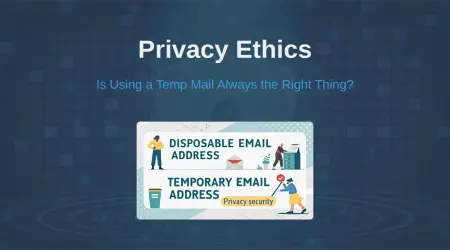
To create a genuine logical air gap for the master recovery account, the associated email identity must be non-public, permanent, and exclusively user-controlled. The common practice of using temporary or disposable email addresses for privileged recovery is categorically dangerous and must be avoided.
Why Disposable (Temporary) Emails Fail:
Temporary burner accounts are fundamentally unsuitable for critical security functions.40 They often expire or are provider-controlled, which risks permanent account lockout if a password reset or recovery code is needed later.41 Furthermore, most lack password protection and authentication, creating a severe vulnerability where anyone who guesses the non-persistent address can potentially access the inbox and read sensitive recovery links.42 Using them for any account involving security, identity, or compliance is a catastrophic risk.40
The Power of Secure, Non-Persistent Aliases:
A secure email alias, unlike a temporary burner, provides the required segmenting and isolation while maintaining permanence and user control. These aliases forward securely to a primary, highly-protected inbox (ideally secured by phishing-resistant MFA). This design provides several critical security advantages:
- Privacy and Phishing Resistance: The alias protects the high-value primary email address from public exposure and targeted phishing campaigns.43
- Permanence and Reliability: Aliases are permanent and user-controlled, ensuring that recovery emails (password resets or MFA prompts) reliably reach the secure primary inbox, eliminating the risk of permanent lockout.44
- Risk Segmentation: By assigning a unique, non-public alias only to the cloud provider's recovery configuration, organizations ensure that a compromise of the standard work email cannot access the high-privilege password reset pathway.45
For organizations seeking to implement this crucial security layer, it is necessary to understand the architectural differences. For a detailed comparison of why aliases provide superior control and security over traditional temporary emails, security professionals should review the guide on(https://tempmailmaster.io/blog). The dangers of relying on throwaway accounts for vital services are thoroughly explored).
Table: Securing High-Privilege Recovery: Alias vs. Temporary Email
VI. Mitigation Roadmap: Building Inherent Cyber Resilience
Achieving true cyber resilience requires operational discipline that combines technological safeguards with stringent identity controls. The following roadmap outlines the necessary strategic and tactical steps.
Immediate Actions for Identity and Access Management Hardening
The foundational defense must be identity-centric, recognizing that the attacker’s success hinges on credential theft:
- Phishing-Resistant MFA: Hardware-based multi-factor authentication must be enforced for all privileged accounts to neutralize phishing attempts and SIM swapping attacks used for initial access.27
- Just-in-Time (JIT) Access: Implement JIT or break-glass access models for backup resource management, minimizing the window of exposure for high-privilege credentials.26
- Administrative Separation: Ensure all Global Admin and backup manager accounts are completely segmented, denying the use of privileged credentials for routine tasks like email and web browsing.32
- Recovery Channel Isolation: Secure the master account recovery path using a unique, permanent, and private email alias, ensuring that if the standard operational email is compromised, the path to the backup control plane remains isolated.
Architectural Resilience and Verification
Organizations must move beyond passive configuration and adopt a proactive, continuously verified architectural posture adhering to the 3-2-1-1-0 standard:
- Isolated Copies: Maintain a logically air-gapped copy of critical data, in addition to immutable cloud storage, to provide maximum isolation from network-based threats.30
- Strict Retention Locks: Apply and verify the strict retention locks (e.g., S3 Object Lock or Azure Resource Manager locks) on immutable storage to technically enforce the WORM principle and prevent policy deletion.6
- Continuous Testing (The "0 Errors" Mandate): The "0 errors" mandate requires rigorous, continuous operational verification. Immutable archives must undergo regular backup verification and sandbox recovery testing to guarantee usability and catch corrupted chains early.11 Resilience is not static; it requires constant operational discipline.
The Continuous Monitoring and Detection Mandate
Because APT actors are persistent and adaptive, security defenses must incorporate advanced detection capabilities:
- Enhanced Logging and Monitoring: Implement sufficient logging and monitoring to immediately detect anomalous privileged activities, such as suspicious resource deletion or high-risk "impact operations" targeting backup infrastructure.6
- Automated Incident Response (IR): Establish automated protocols to isolate infected endpoints, block suspicious connections, and rapidly initiate restoration from verified, clean backups.50
- Comprehensive Eradication Planning: Develop a detailed eradication plan that mandates reimaging affected systems from clean, immutable sources.51 The plan must incorporate deep forensic analysis to confirm the full scope of the compromise and ensure all persistence mechanisms are removed before recovery commences. Merely restoring data without addressing the root cause, such as stolen credentials, guarantees re-infection.52
VII. Valuable FAQs: Cloud Resilience and Identity Security
1. Is cloud immutable storage truly ransomware proof?
No. While immutable storage provides excellent protection for data by preventing encryption or deletion during the retention period 2, it is not immune to administrative compromise. Attackers who obtain high-privilege admin credentials can execute actions to delete the underlying immutability policies or resource locks themselves, bypassing the data protection layer.1 The defense must therefore be identity-centric.
2. How does AI enhance credential harvesting for cloud accounts?
AI significantly increases the speed, scale, and success rate of credential theft.21 Generative AI crafts highly personalized and believable phishing and vishing campaigns that mimic corporate communications, allowing attackers to target high-value cloud administrators with precision.22 AI also automates credential stuffing by rapidly testing millions of stolen username/password pairs against cloud services to gain rapid access.18
3. Should a disposable email be used for cloud backup password reset?
Absolutely not. Disposable (temporary) emails are appropriate only for single-use, low-stakes interactions. Using them for critical functions like cloud admin password resets is a severe security risk, as temporary addresses frequently expire or lack security, guaranteeing permanent account lockout if the password is forgotten or if a necessary recovery code is needed later.40 A secure, permanent alias that forwards to a trusted, protected inbox is the mandatory alternative.
4. What is the single most important factor for securing cloud backups against ransomware?
Identity Isolation and Access Control. Since the primary vector for policy bypass is abusing valid administrative credentials (30% of incidents 8), the most critical defense is implementing the principle of least privilege, rigorously segmenting administrative accounts, and securing the recovery path with phishing-resistant MFA and a controlled, dedicated email alias.16
5. How often should cloud recovery procedures be tested?
Recovery procedures should be tested regularly and continuously, often automated, to meet the "0 errors" mandate of modern resilience strategies.11 Combining immutable backups with automated testing tools ensures usability and catches corrupted backup chains before a real crisis occurs.28
VIII. Conclusion: Moving Beyond Illusion to Inherent Resilience
The transition to cloud computing introduced efficiencies but also created a widespread security illusion: that shifting data storage equates to inherent ransomware immunity. Current threat modeling and real-world incidents definitively prove this assumption to be false. AI-enhanced ransomware is bypassing data protection mechanisms by elevating attacks to the identity control plane, targeting privileged administrators who hold the ability to disable immutability policies and delete the final, pristine copies of data.
Cyber resilience is not a feature provided by the CSP; it is an architectural discipline maintained by the customer. It must be built upon a robust defense-in-depth strategy that strictly enforces the 3-2-1-1-0 rule. Fundamentally, this resilience requires moving the air gap from the physical layer (tape) to the architectural layer (identity). Organizations must urgently prioritize Privileged Access Management, implement phishing-resistant MFA for all high-value accounts, and, most crucially, segment the most critical administrative recovery pathways.
Securing the cloud backup administrator’s recovery email with a controlled, permanent, and private alias is not a peripheral concern; it represents the final, essential lock on the vault containing the organization’s ability to recover without paying a ransom. Failure to isolate this key recovery channel leaves the entire cloud resilience strategy one compromised password away from total failure.
Written by Arslan – a digital privacy advocate and tech writer/Author focused on helping users take control of their inbox and online security with simple, effective strategies.